(This is a work in progress - any text might change) (Start time: 3:30pm)
In the first part of this series, I demonstrated a basic feedback loop that I will deploy constantly while interacting ChatGPT. In this second part, I will answer two of my remaining questions.
1. How do I visualize animations?
2. Can I make an animation run indefinitely?
Given the results from part one, answering these questions seems simple enough. So I will give myself a larger challenge. I wish to create a cube that spins and flips simultaneously while also recursively splitting into smaller cubes.
Let's get to it...
In the first part of this series, I demonstrated a basic feedback loop that I will deploy constantly while interacting ChatGPT. In this second part, I will answer two of my remaining questions.
1. How do I visualize animations?
2. Can I make an animation run indefinitely?
Given the results from part one, answering these questions seems simple enough. So I will give myself a larger challenge. I wish to create a cube that spins and flips simultaneously while also recursively splitting into smaller cubes.
Let's get to it...
Me: How do I visually my animation for the script?
ChatGPT: To visualize your animation for a script in Blender, you can use the "Timeline" window, which is located at the bottom of the default Blender layout. The Timeline shows a representation of the keyframes in your animation, allowing you to see how the animation will play out over time.
To access the Timeline, simply click on the "Timeline" tab at the bottom of the Blender window. This will open the Timeline, which will show a series of vertical lines representing the keyframes in your animation. The position of...
Great! Now we have visuals in Timeline. And for the record, ChatGPT's response was much more detailed. I chopped off text for the sake of space.
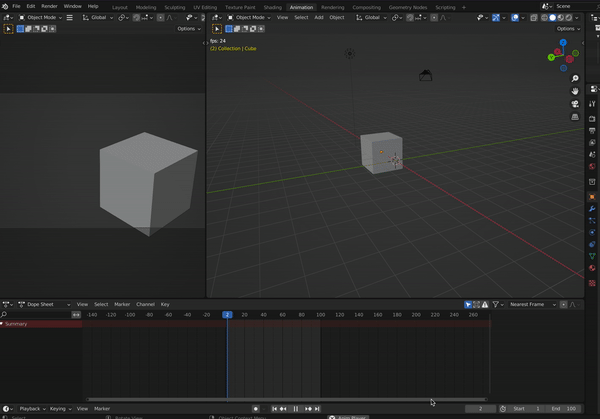
To answer the second question, I'll get started on the challenge for this blog post. I'll ask ChatGPT how to make the cub spin horizontally without end.
ChatGPT: To make a cube spin horizontally without stopping in Blender, you can use the Blender Python API to create an animation script that rotates the cube along the Y-axis. Here is a simple example of how you can do this:
import bpy

# Set the frame range for the animation
bpy.context.scene.frame_start = 1
bpy.context.scene.frame_end = 100

# Get a reference to the cube
cube = bpy.data.objects["Cube"]

# Set the initial rotation of the cube
cube.rotation_euler = (0, 0, 0)

# Animate the rotation of the cube
for i in range(1, 100):
    # Set the current frame
    bpy.context.scene.frame_set(i)
    # Rotate the cube around the Y-axis
    cube.rotation_euler = (0, i, 0)
    # Update the animation
    cube.keyframe_insert(data_path="rotation_euler", index=-1)
This script will animate the rotation of the cube named "Cube" around the Y-axis from 0 degrees to 360 degrees over the course of 100 frames.
You can run this script in Blender by following the steps outlined in a previous answer. Remember to create a cube in your Blender scene and give it the name "Cube" in order for the script to work properly.
Once you have run the script, you can visualize the animation using the Timeline and 3D View, as described in a previous answer. This will allow you to see the cube spinning continuously around the Y-axis.
Impressive! Side-note on this line: "You can run this script in Blender by following the steps outlined in a previous answer". It is aware of my previous discussions within important context! And it's helping me out by naming it "Cube" here, which is already what I had referenced in my code, after updating it from "MyObject" in Part 1.
Let's implement this and get a spinning cube.
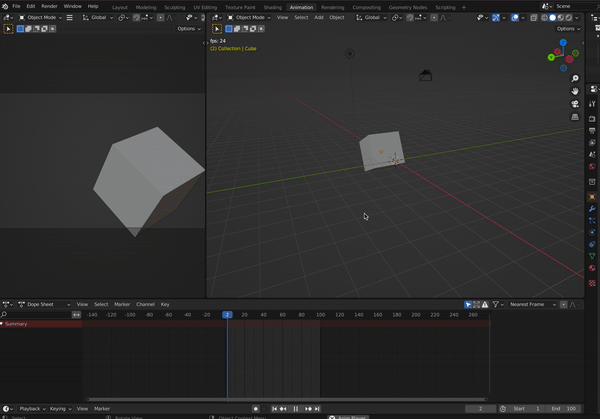
Okay... its spinning! But now it's also sliding. This was not expected. Also, my expectation of horizontal spin was around the x-axis. I can go into the code to change the variable to the x-axis easily, but lets see if ChatGPT can help us figure out this multi-script scenario. Of course, for some reason that previous script is also running and I imagine we must remove it.
Me: My animation seems to be running multiple scripts at the same time. How do I remove previous scripts from executing?
ChatGPT: If your animation in Blender appears to be running multiple scripts at the same time, it is likely that you have multiple scripts that are modifying the same objects in your scene. In this case, the animation will be a combination of the effects of all of the scripts, which can cause unpredictable behavior...
Me: That didn't help me. I still cannot find how to remove scripts from executing. My animation is still combining scripts
ChatGPT: If you are still unable to remove scripts from executing in Blender, it is possible that the scripts are being executed by another part of the Blender interface, such as an action strip in the Dope Sheet editor.
In Blender, the Dope Sheet editor is a tool that allows you to create and edit actions, which are sequences of keyframes that define an animation. You can access the Dope Sheet editor by going to the "Editing" workspace and clicking on the "Dope Sheet" tab in the bottom-right corner of the Blender window.
In the Dope Sheet editor, you will see a list of all of the actions in your Blender scene. An action strip is a representation of an action in the Dope Sheet editor, and shows the keyframes that are included in the action.
Okay! That helped! I performed a few more feedback cycles with ChatGPT and managed to get my rotating cube along the x and y axis. Though I actually had to use my own brain to figure out how to update the script to look more like how I want my animation to behave. Here it is!
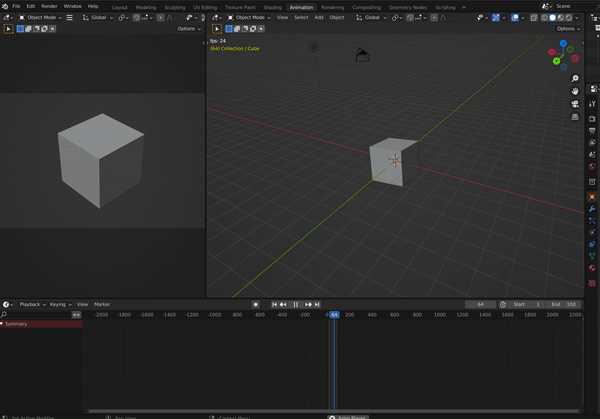
Here is how the code now looks:
# Set the frame range for the animation
bpy.context.scene.frame_start = 1
bpy.context.scene.frame_end = 100

# Get a reference to the cube
cube = bpy.data.objects["Cube"]

# Set the initial rotation of the cube
cube.rotation_euler = (0, 0, 0)

# Animate the rotation of the cube
for i in range(1, 100):
    # Set the current frame
    bpy.context.scene.frame_set(i)
    # Rotate the cube around the X and Y axis
    cube.rotation_euler = (i/10, i/10, 0)
    # Update the animation
    cube.keyframe_insert(data_path="rotation_euler", index=-1)
And now... for the for the final act, let's get this recursively splitting into smaller cubes. By this mean, we will start with cube 1 (seen spinning above), this will be called the "original cube". Recursively, cube 1 will become constructed of 8 cubes (with some spacing between them), 8 cubes will be come 64, 64 will become 4096, and so on. Some time will pass between these splitting events.
All the while, the "original cube" will maintain its same size and rotation and I do not want the smaller cubes to perform any spinning, independent of the original cube.
Apologies if this explanation is imperfect or difficult to understand. I have absolutely no idea how I am going to do this. But, I have a vision in my head and by god I have ChatGPT.
...
Let's start by ignoring the rotation for now and try to get the cube to recursively split into smaller cubes. Let's first start by splitting the original cube into 8 cubes.
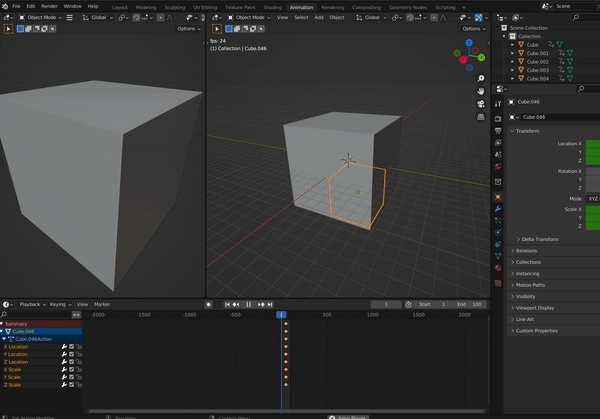
Here is the gist of code for this iteration of work. I'll be honest, ChatGPT is providing only nominal help here. It was able to compute the center point of all inner quadrants(?) within the original cube...that was great, but understanding how these animations work was still strange to me. I had to watch this Youtube video to get a better understanding of the mechanics of frame updates.
Side note: What are the eight "quadrants" of a cube called? Octorants? Let's ask ChatGPT.
Me: what are the eight parts of a 3d space named?
ChatGPT: The eight parts of three-dimensional space that are formed when three planes intersect at a single point are called "octants." Each octant is named using a combination of the letters "x," "y," and "z" to indicate which of the three planes it lies on. For example, the octant that lies on the positive x-axis, the positive y-axis, and the positive z-axis is usually labeled "xyz." The other octants can be named using similar combinations of the letters "x," "y," and "z," such as "xy," "xz," "yz," "x," "y," "z," and "-xyz." Each octant contains one-eighth of the volume of space around the point where the three planes intersect.
"Octants". Great! Thank you.
Alright, back to programming. If you take a look at that gist, you'll see its starting to grow a bit too big for my liking. I'd love to get that big helper function for the octants into a separate file. Let's see if ChatGPT can help us organize our code.
...
No help. Only Google and Blender's documentation helped me here. I created a script named helpers.py and import it into my main script. I use it like so:
helpers.get_inner_octants(original_cube)
And keep my main script a bit more tidy.
(End of day 1.. going to sleep)
...
I'm waking up today with a fresh mind. Yesterday, I left off with a visual representing only part what I had in mind. And mostly thanks to my own brain power, so, I am feeling a bit let down by ChatGPT's ability to assist me. Looking back, however, it is clear to me now why ChatGPT failed me...because I failed it.
ChatGPT is great a processing language, and I lacked the correct language to speak to it. I didn't even know what an octant was. So today, I will sharpen my language and go back to ChatGPT with questions and commands. After all, this post is about leveraging AI. So let's do so.
Taking stock of the relevant language:
1. Octants. The eight points in a cube where all three planes intersect.
2. primitive_cube_add(): The bpy function for creating cubes
3. location: the attribute name for describing where an object is placed in space
4. scale: the attribute name for describing the object's size
5. keyframe_insert(...): The bpy function for notifying data path changes on object's at certain frames.
Lets try to get the octants split now...
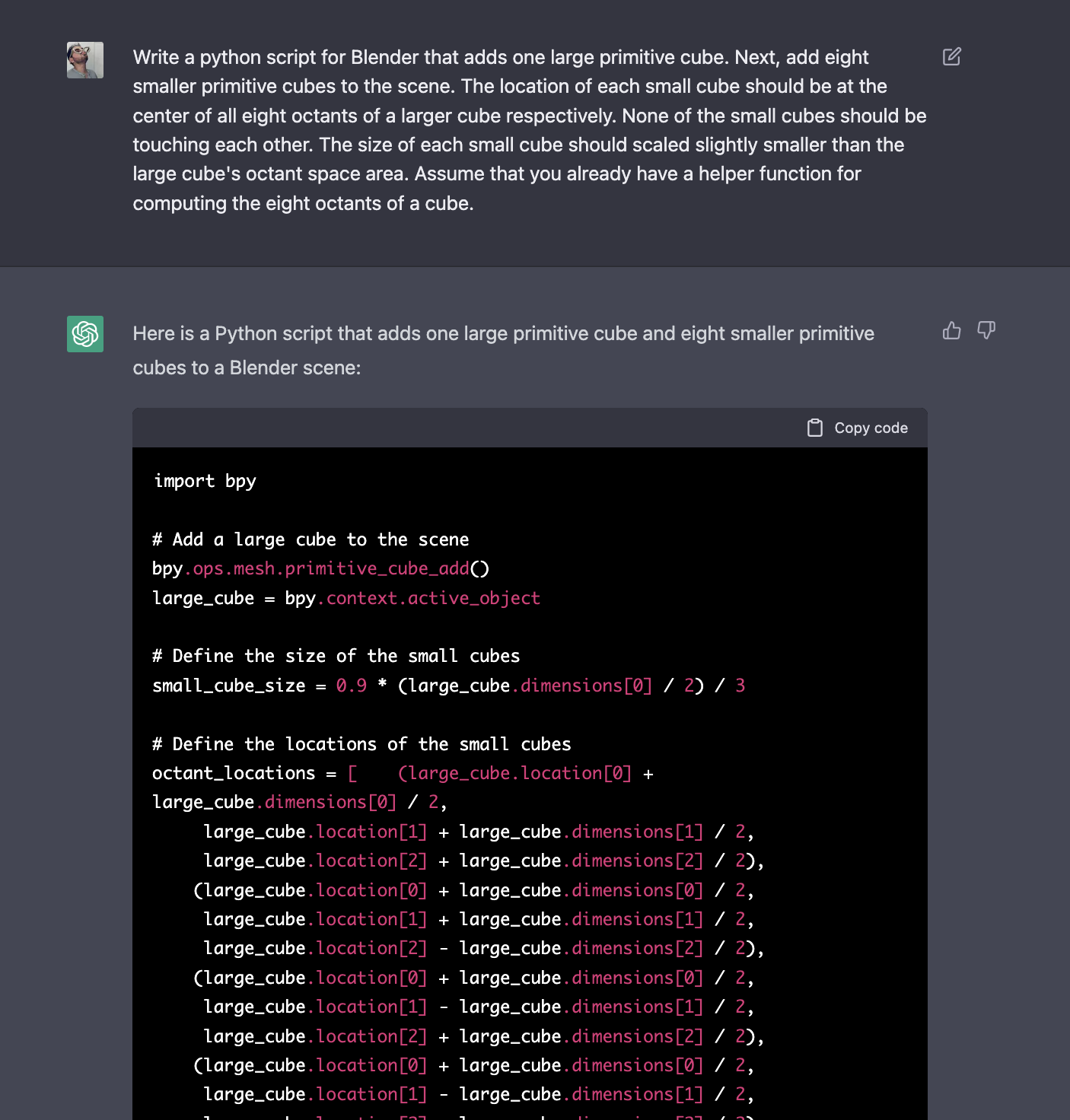
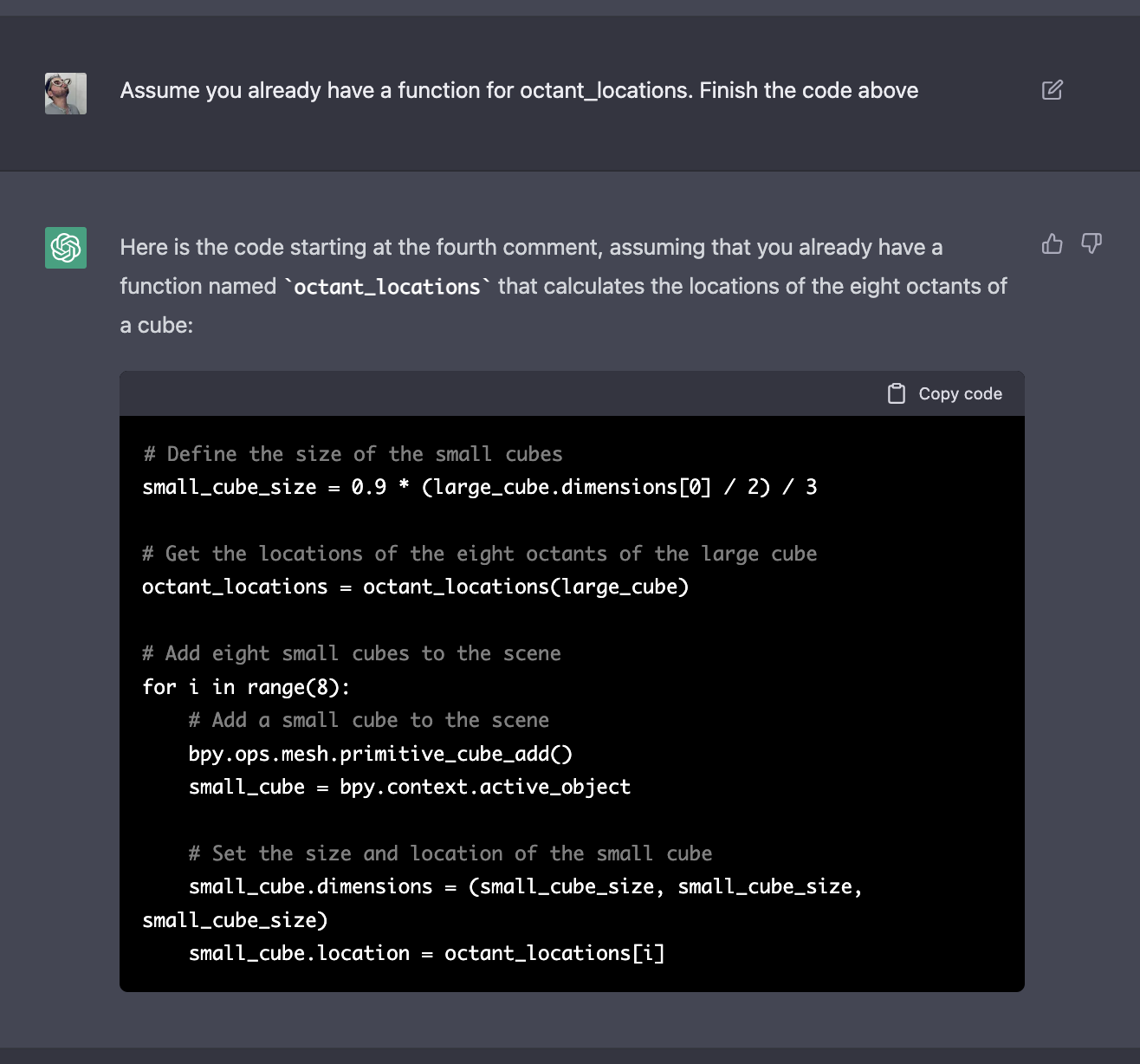
Okay! This worked, and in a fraction of the time it took me yesterday! My cubes are now looking a lot like my work from yesterday, though I had to modify the small_cube_size to look a bit more like what I had imagined in my head. I also don't have animations yet.
And look at that trick I found. Notice that computing the octant_locations is a very long function. ChatGPT will stop spitting out text after a certain point. To get around this, you can simply ask it to "assume that we already have a function" to compute the octant_locations. This helps compress the code a bit and get around the character limit.
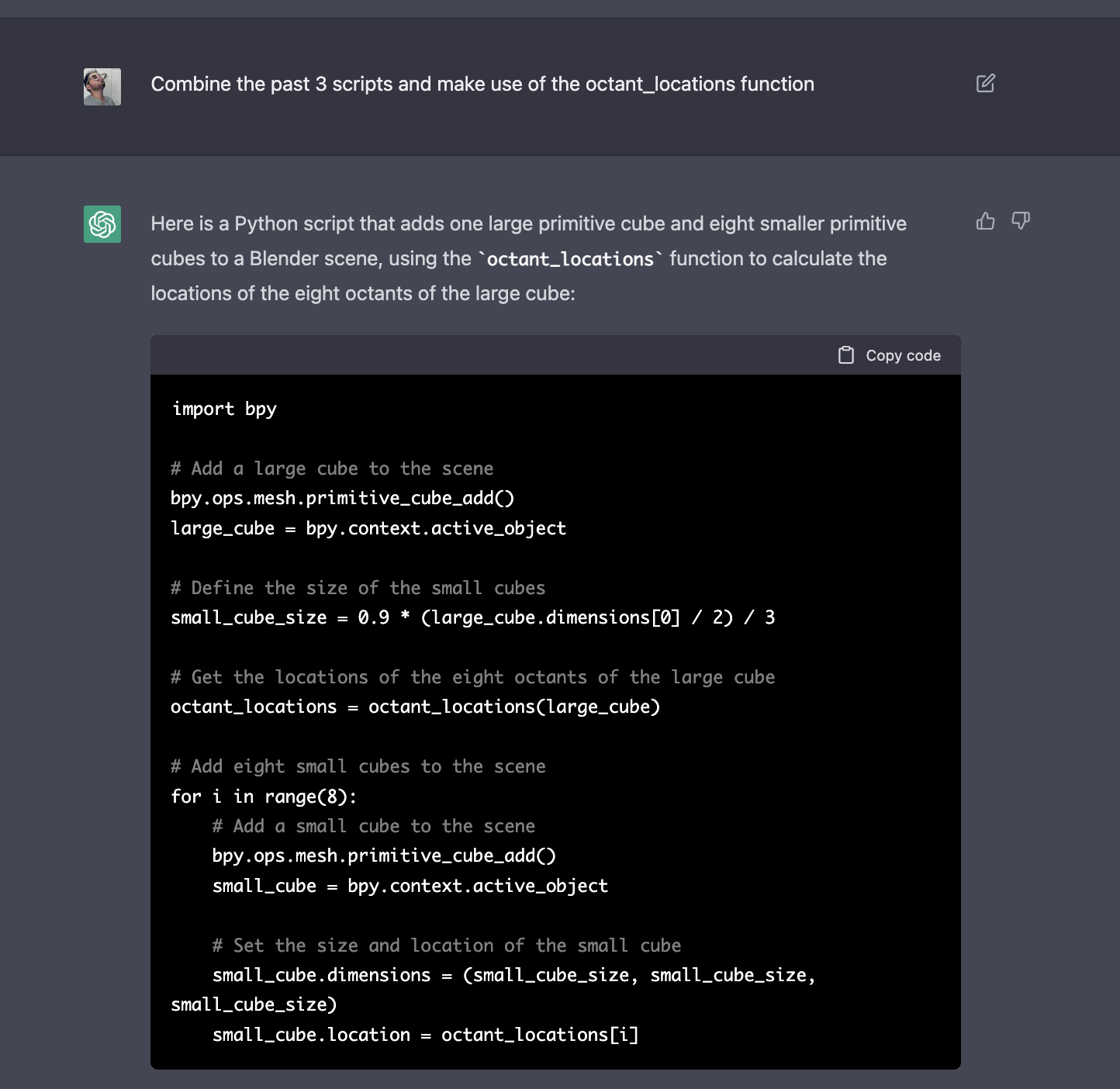
Here is the script in its compressed form... doing exactly what I asked for.
Next, let's try to get it animating solely with ChatGPT prompts.
...
Despite my best efforts ChatGPT was very unhelpful here. And in fact, gave me wrong answers that it admitted were wrong. Though when I pointed out that it was wrong it did attempt to correct it it self.
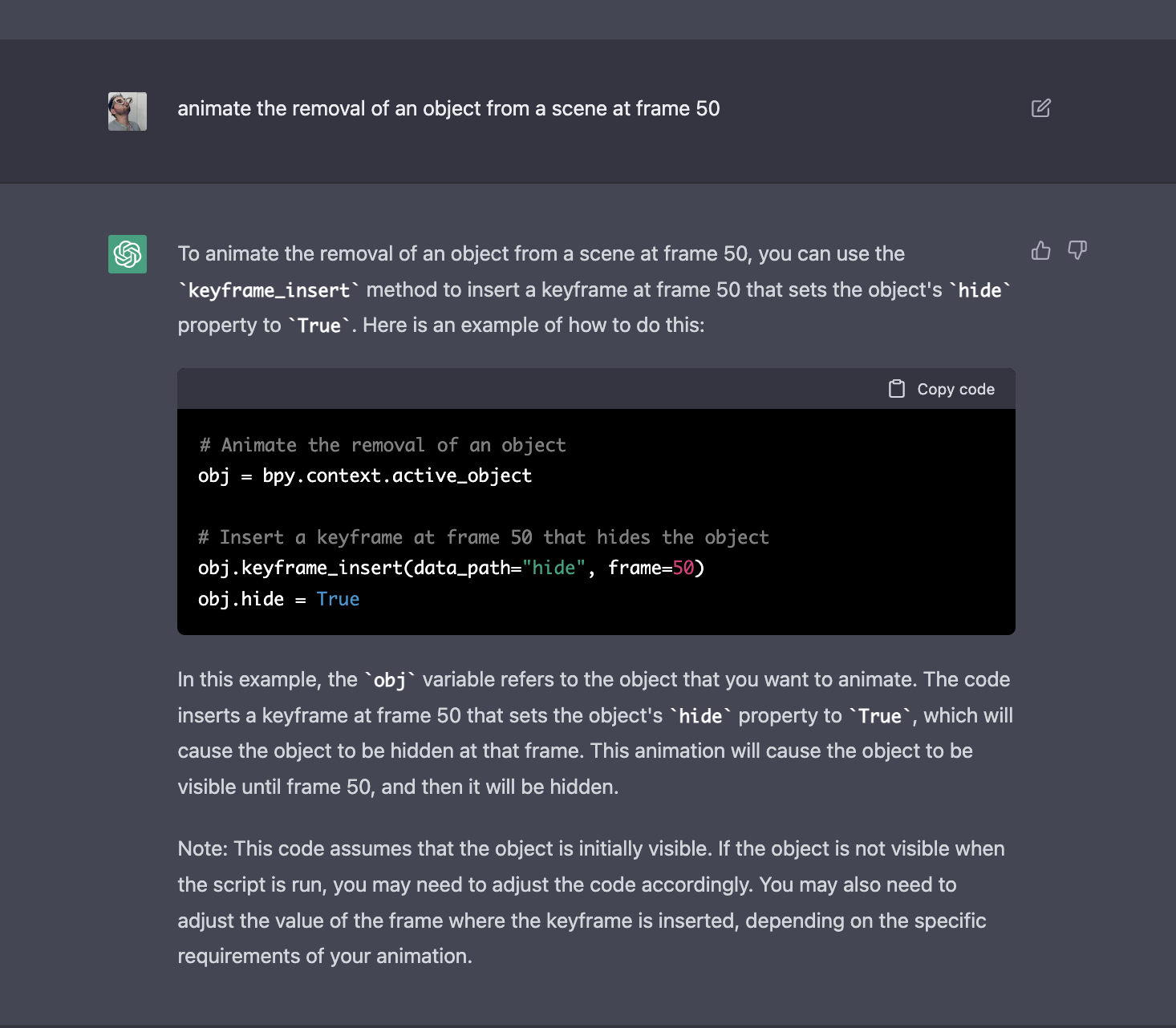
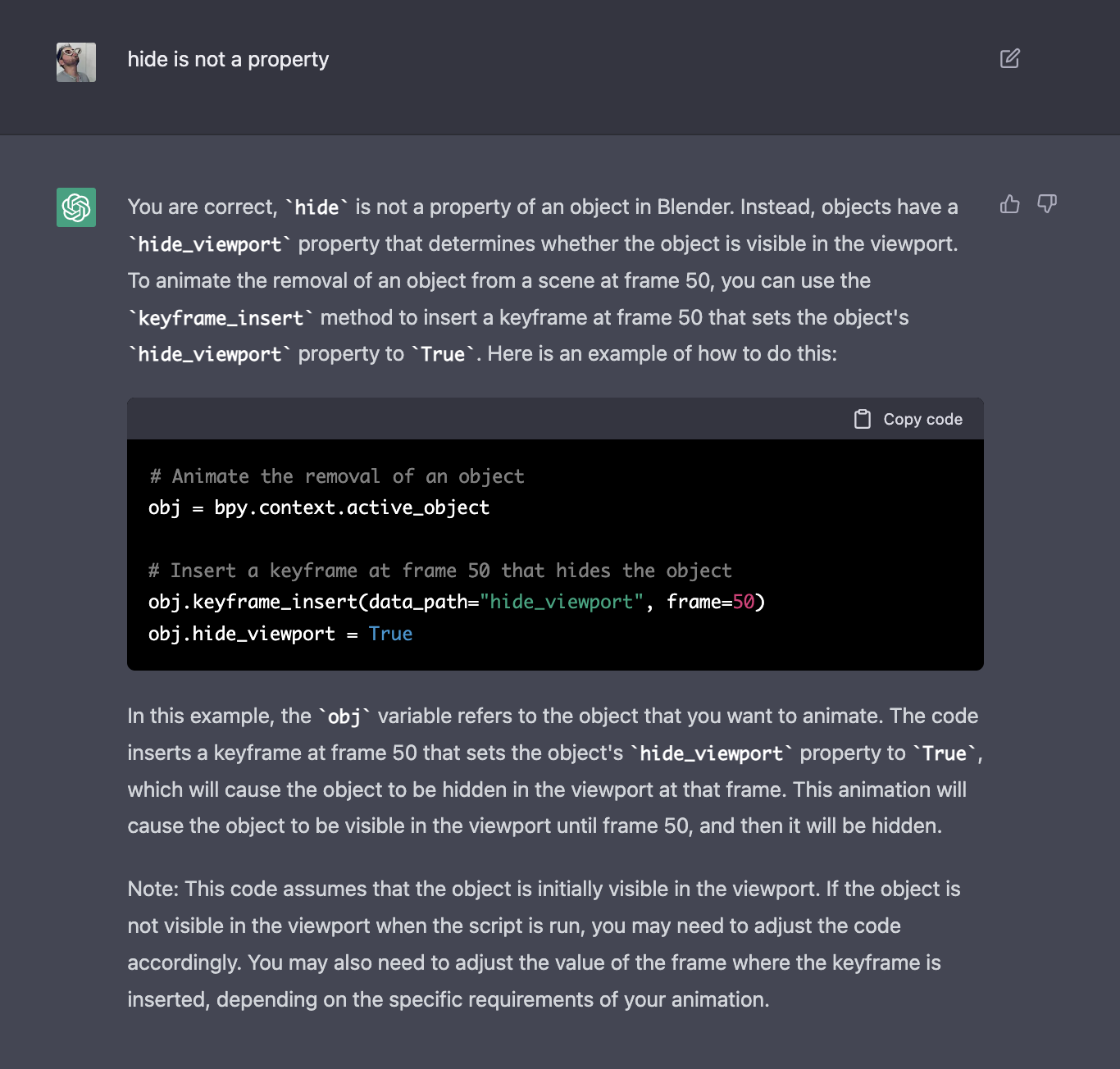
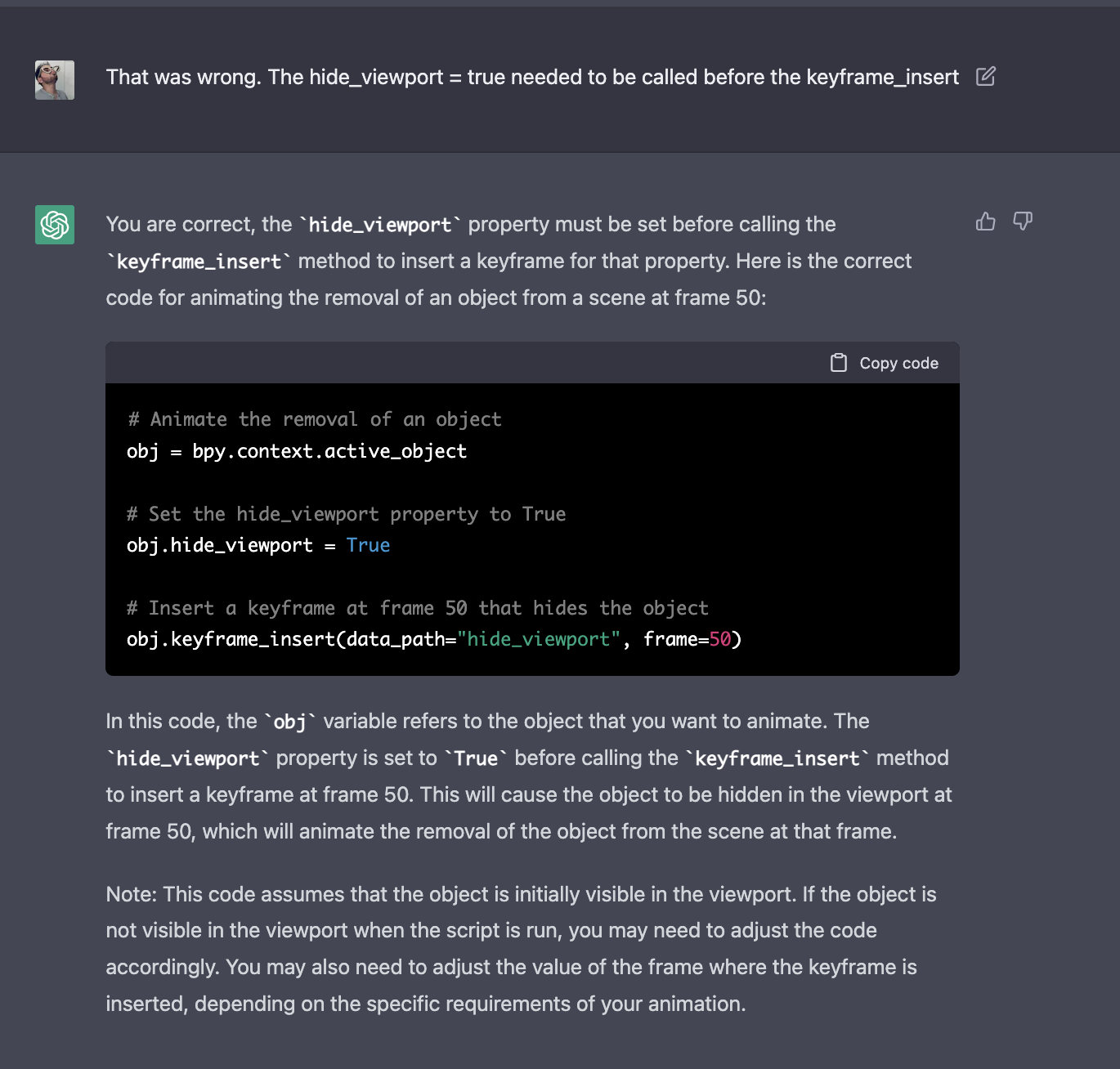
Despite this. I managed to get the cube recursivly splitting like I imagined:
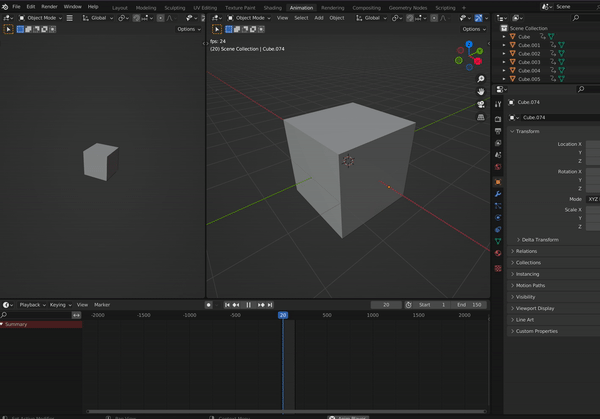
Now we must make it all spin and flip at the same time!
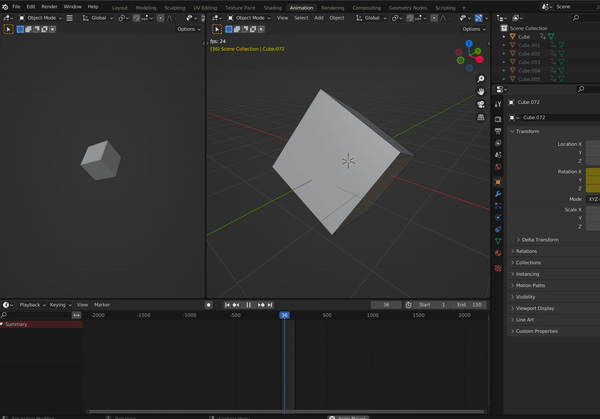
Here is the logic I have added to make spinning, flipping and splitting happen at the same time.
1. Gather all cubes into an array
2. Iterate over all cubes and perform the spin/flip logic that ChatGPT helped us compute earlier.
The result.......
(gist)
Cool... now of course this would happen. We are applying the same transformation to all cubes in the same way. But this is not exactly what I had in mind. I want the smaller cubes to rotate in formation with the "original cube" such that the structure of the original cube appears in tact.
This might be difficult... but, that is the point of this post.
...
Perhaps this is only difficult because I don't know the right language to explain the problem... Let's get back to defining the language of the problem. Let's get ChatGPT to help us out...
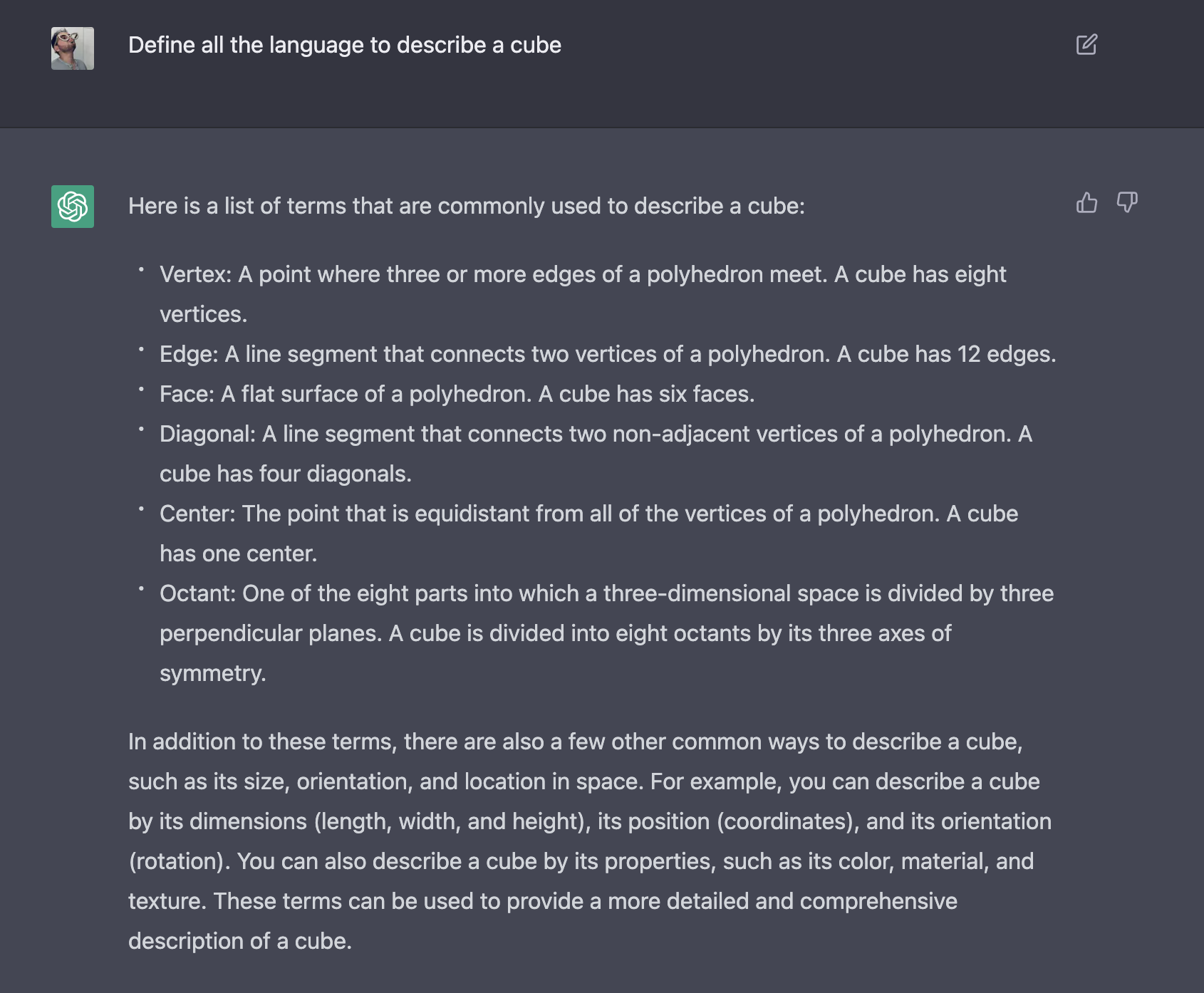
Great. Thank you... Next, let's compare the difference between two different frames. The first frame will be the "original cube" and the second frame will be the split cube, both in similar spatial rotation... the differences between these two frames will help illuminate the transformations necessary on the smaller cubes to bring alignment with the original cube.
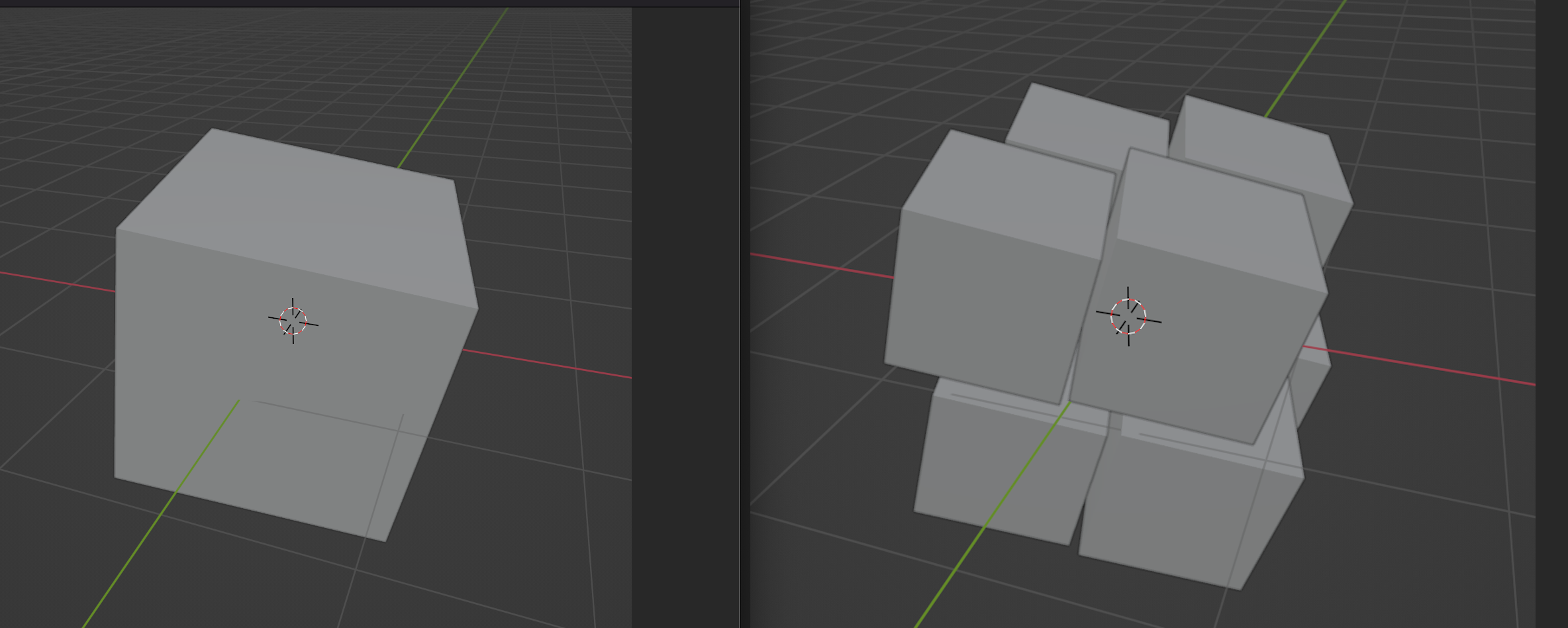
Okay! Now that I see the differences, and now that I have better language. I know how describe the problem better. Let's take a first stab at describing how the smaller cubes should behave for my desired results.
For each cube of each octant (the small cubes), the location of the small cube should be offset such that its only vertex non-adjacent to other small cubes is positioned at the same point in space as the original cube's vertex
That feels better, but things still feel fuzzy. It probably needs work. Translating that to code will be a challenge.
This all feels a bit too abstract for ChatGPT, and even myself. I want to start simple by breaking it down a bit to the singular offset computation.
...
...
Okay... I'm back after a few hours of testing code, reading ChatGPT instructions, Googling, and Youtube. The solution is hilariously simple..
small_cube.parent = large_cube
Screw all the advanced math apparently..... small cube parent equals large cube. Thanks Blender!
And here's the result..
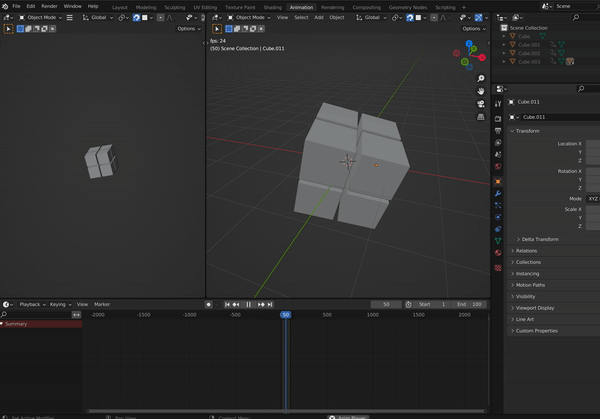
Pretty...
Side note: After knowing this solution works... I tried to prompt ChatGPT such that it might give me a solution like the one I found. And would you look at this!
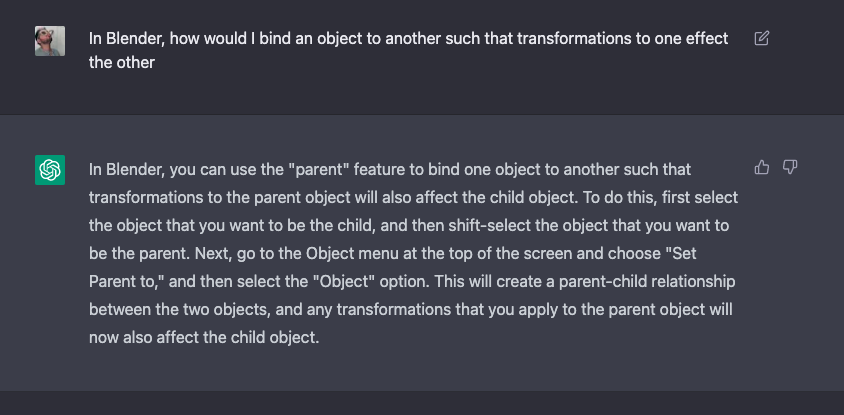
ChatGPT knew... I just wasn't asking the right questions! I was wrong to think that this was too abstract for ChatGPT!
Let's wrap this up now - and put everything together.
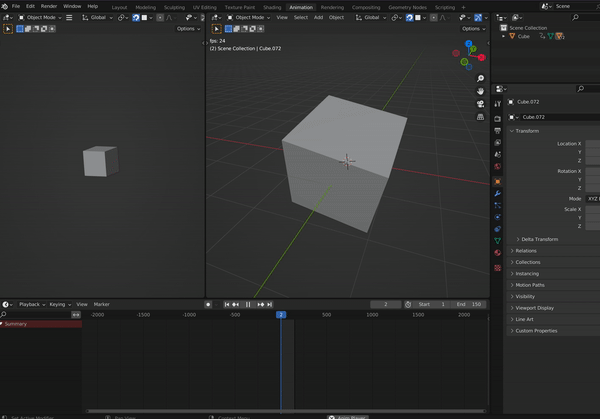
Ahhh.. that's satisfying.
Our cube is flipping, spinning, and splitting all how I wanted. Fantastic. Here is the final gist of code.
I'm feeling pretty good with these results! And, I fully understand what was created and how! The total time to complete this task was about eight hours total.
This has been my first experience sitting down with ChatGPT and working through a significantly challenging problem (at least for me). So what are the takeaways?
First, ChatGPT is incredibly powerful, full stop. But, it makes mistakes - and it makes mistakes while sounding so right and confident. Using it in situations like this, however, help side-step this issue, whereby I can test out its claims immediately, and then tell it that its wrong. Luckily, its not as arrogant as its predecessors and it can provide helpful alternative follow up solutions.
Second, Googling and direct source documentation was better use of my time for problems that encompassed potentially outdated solutions. Applications and software are constantly changing - functions get deprecated, names change, views move... ChatGPT's documentation states that it only knowledgable about the world up until 2021, so any updates to Blender from 2021 to the time of writing this may potentially be stale, and I encountered a few instances where ChatGPT sent me off track because of this.
Third, ChatGPT is great for the boiler plate work of constructing generic algorithms and teaching me relevant APIs functions. This is a HUGE time safer. For example, computing the octants of a cube is trivial, it just requires boring brain power and a lot of typing and formatting. ChatGPT did this in seconds.
We're just getting started though. ChatGPT is going to get smarter, and I suspect that I and others will continue to find interesting tricks for interacting with it.
Next up, we're going to start tackling 3D cellular automata.