We do live in my opinion in an ever-changing world of AI. It's been proven time and time again over the past couple of years alone. Call it transition period to the unknown or craziness! What is slowly being established though is how AI penetrated our lives. Let's not confuse things, AI has been present for many decades (came across the first CNN 8 years ago only to find out that these have been used since the 1980s). What I'm referring to now is the scale and computation advancements that have enabled large language models to become genuinely useful tools for everyday tasks. I'm an avid user of ChatGPT but also Claude and its Sonnet model for coding. It's far superior on the latter.
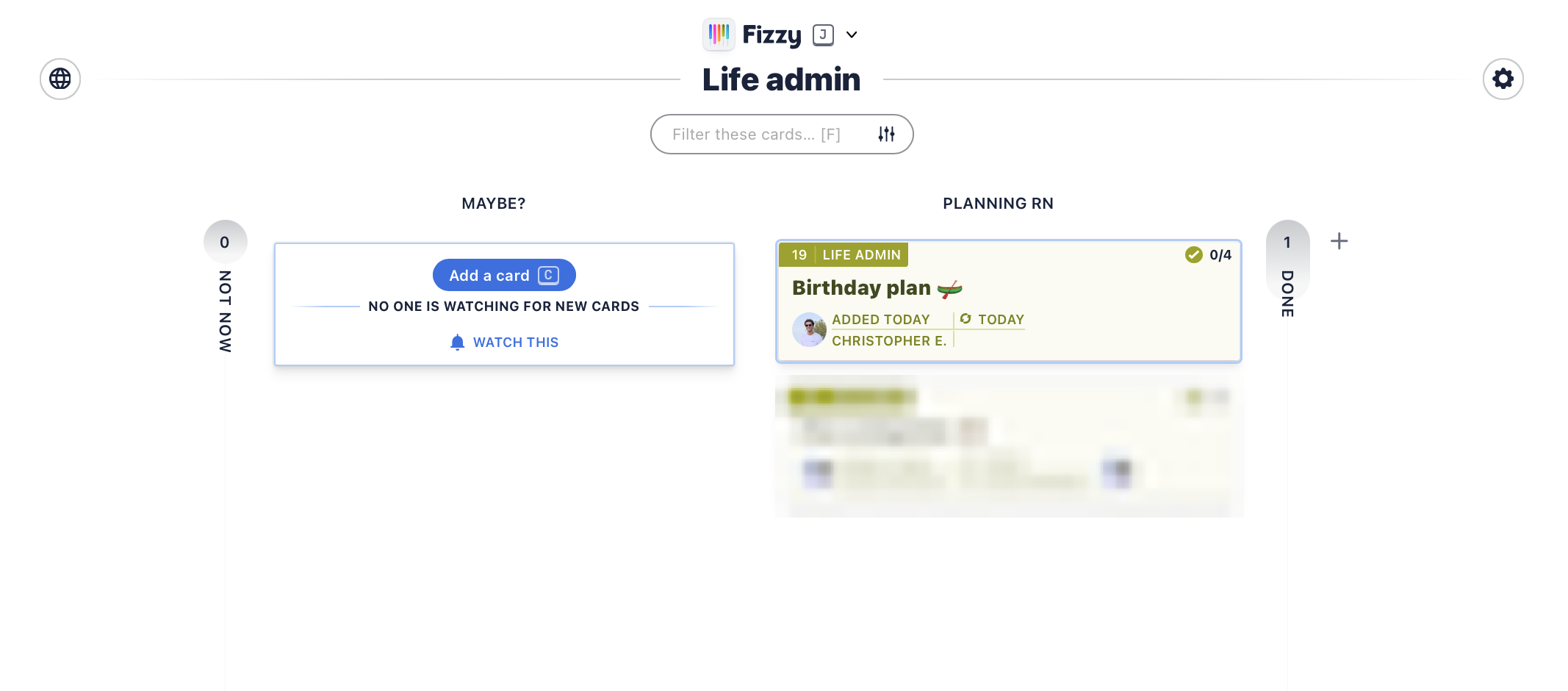
Today I wanna show you how I use Claude and Fizzy (don't worry I will explain in a bit) to show how natural language in Claude can enable you to create beautiful Kanban-board tasks. Like the one below:
Today I wanna show you how I use Claude and Fizzy (don't worry I will explain in a bit) to show how natural language in Claude can enable you to create beautiful Kanban-board tasks. Like the one below:
What you'll need:
- A free Fizzy account — sign up at fizzy.do
- Claude for Desktop — available for both Mac and Windows at claude.ai/download
So what is Fizzy?
Fizzy is a lightweight Kanban board built by 37signals - the same people behind Basecamp and HEY. It's a dead simple way to organise tasks into cards and columns, with none of the bloat you get from tools like Jira or Trello. The best part? It's completely free for up to 1000 cards and fully open source.
How to set it up
First things first — you need to connect Fizzy to Claude Desktop via something called an MCP server. MCP (Model Context Protocol) is essentially a bridge that lets Claude talk directly to external tools. Think of it as giving Claude a direct line into your Fizzy boards.
Step 1 - Get your Fizzy API token
Head to your Fizzy profile, scroll to the Developer section at the bottom right and hit Personal access tokens. Generate a new one and copy it somewhere safe — you'll need it in a moment.
Step 2 - Open your Claude Desktop config file
Open Terminal and run:
open ~/Library/Application\ Support/Claude/claude_desktop_config.json
```

On Windows it lives at:
```
%APPDATA%\Claude\claude_desktop_config.json
Step 3 - Add the Fizzy MCP server
Paste this into your config file, dropping your token in where indicated:
{
  "mcpServers": {
    "Fizzy": {
      "command": "npx",
      "args": ["-y", "@silky/fizzy-mcp"],
      "env": {
        "FIZZY_TOKEN": "your-token-here"
      }
    }
  }
}
Fully quit Claude Desktop (Cmd+Q, not just close the window) and reopen it. You'll know it's worked when you see a small tools icon in the chat input box.
Step 4 - Start talking to your boards
That's genuinely it. From here you just type naturally. Here is an example of what I did - all in plain English, no code, no clicking around in the app:
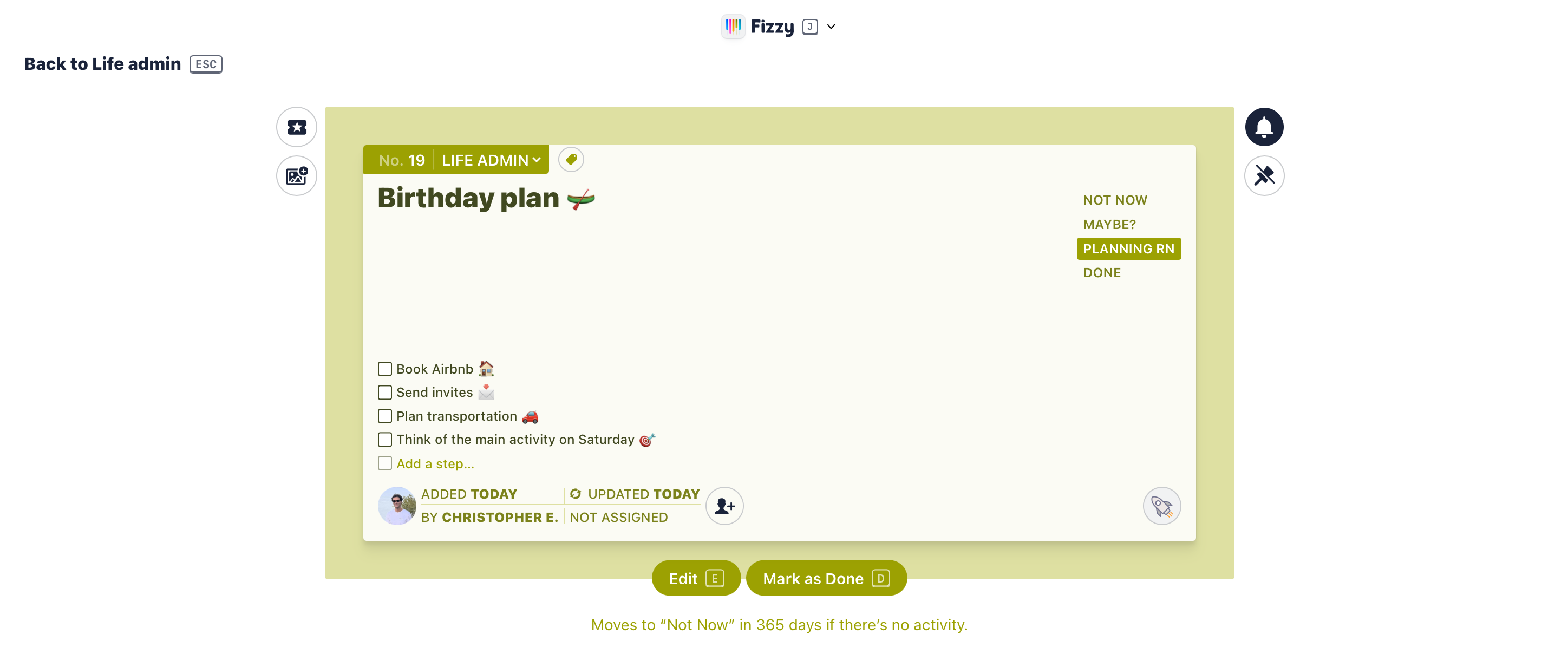
Create a card in my Life Admin board called 'Birthday plan 🛶' and add planning tasks for my opcoming birthday trip to the east of England. Keep it concise to 4 main tasks. Add emojis next to each one. Oh and I'm thinking of booking an Airbnb.
And Claude just handles it. No switching tabs, no clicking around, no copy-pasting IDs. It's the kind of workflow that once you've tried it you can't go back to doing it the old way.
What else can you do with it?
Honestly, we've only scratched the surface here. Once the MCP connection is live, the things you can ask Claude to do in plain English are pretty wild:
- " Show me all the cards on my Research board "
- " Mark card #18 as done "
- " Move the Birthday plan card to Not Now "
- " Tag card #18 as urgent "
- " What steps are left on card #18? "
It's not just task creation - it's a full Fizzy workflow, driven entirely by conversation. Just tell Claude what you want done and it handles the rest.
Why this matters
We're at a point where the interface to your tools doesn't have to be the tool itself anymore. Fizzy is already beautifully simple - but pairing it with Claude means you don't even need to open the app. You're planning your birthday weekend, your next sprint at work - all from the same conversation window where you're already thinking out loud.
That's the shift. Not AI replacing your tools. AI becoming the way you use them.
Give it a go - it takes about 10 minutes to set up and once it clicks, it really does feel like a bit of a superpower. Email me if you get it running or have questions - happy to help! 👊🏼