I fully understand the nostalgia for real ownership of physical-media games. I grew up on cassette tapes (C64 + Amstrad 464!), floppy disks (C64 5-1/4" then Amiga 3-1/2"), cartridges, and CDs. I occasionally envy the retro gamers on YouTube with an entire wall full of such physical media. But do you know what I like more than collecting? Playing! Anywhere. Anything. Anytime.
We went through the same coping phases with movies and music. Yes, vinyl had a resurgence, but it's still a tiny sliver of hours listened. Same too with 4K Blue-rays. Almost everyone just listens to Spotify or watches on Netflix these days. It's simply cheaper, faster, and, thus, better.
Not "better" in some abstract philosophical way (ownership vs rent) or even in a concrete technical way (bit rates), but in a practical way. Paying $20/month for unlimited music and the same again for a broad selection of shows and movies is clearly a deal most consumers are happy to make.
So why not video games? Well, because it just wasn't good enough! Netflix tried for casual gaming, but I didn't hear much of that after the announcement. Google Stadia appears to have been just a few years ahead of reality (eerie how often that happens for big G, like with both AI and AR!) as they shut down their service already.
NVIDIA, though, kept working, and its GeForce NOW service is actually, finally kinda amazing! I had tried it back in the late 2010s, and just didn't see anything worth using back then. Maybe my internet was too slow, maybe the service just wasn't good enough yet. But then I tried it again a few days ago, just after NVIDIA shipped the native GFN client for Linux, and holy smokes!!
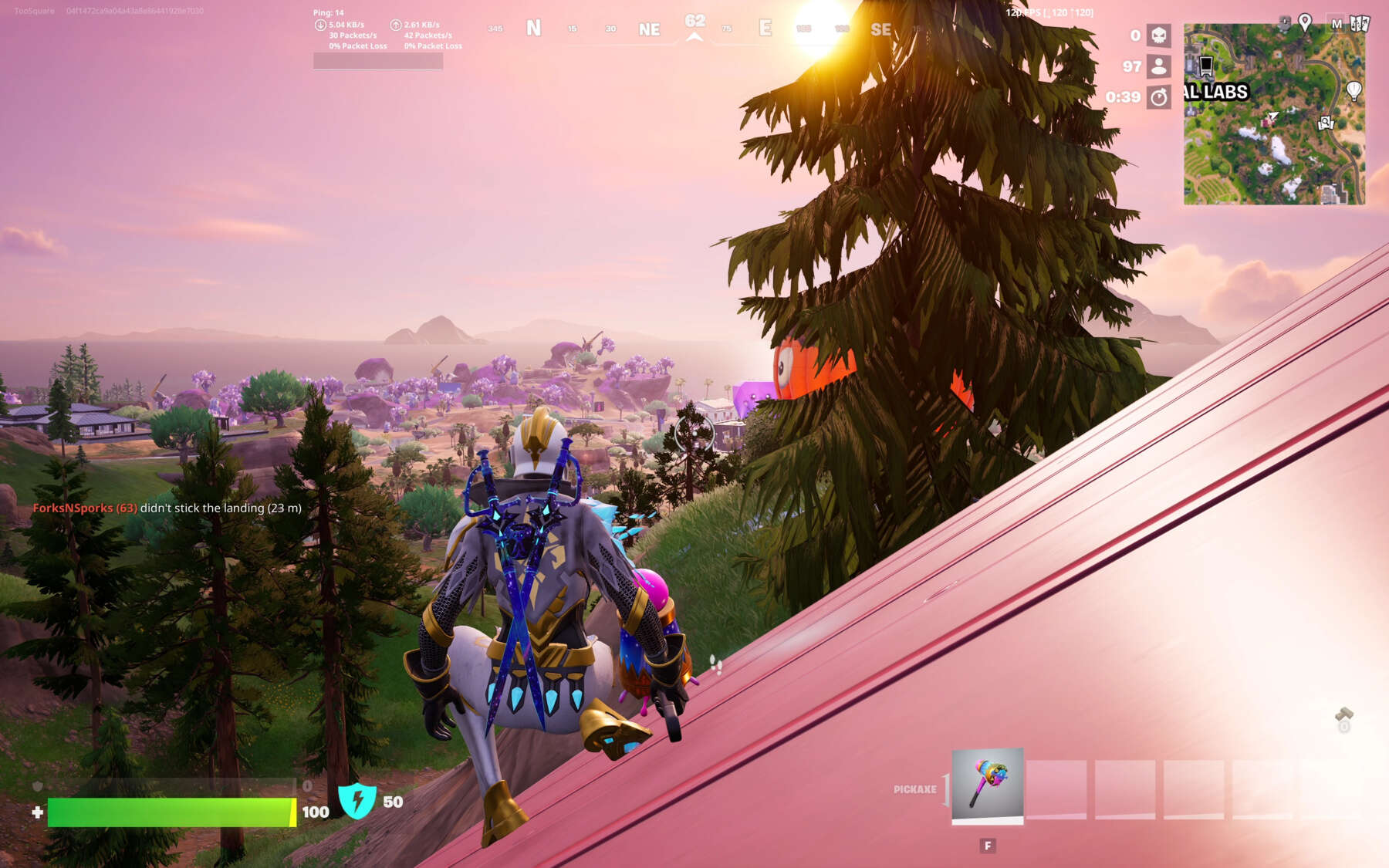
You can legitimately play Fortnite in 2880x1800 at 120 fps through a remote 4080, and it looks incredible. Yes, there's a little input lag, but it's shockingly, surprisingly playable on a good internet connection. And that's with the hardest possible genre: competitive shooters! If you play racing games like Forza Horizon or story-mode games like Warhammer 40K: Space Marine 2, you can barely tell!
This is obviously a great option for anyone with a modest computer that can't run the latest triple-A titles, but also for Linux gamers who don't have access to run the cheat-protection software required for Fortnite and a few other games.
And, like Spotify and Netflix, it's pretty competitively priced. It's $20/month for access to that 4080-tier. You'd quickly spend $2,000+ on a gaming rig with a 4080, so this isn't a half bad deal: it's a payback of 100 months, and by then you'd probably want a 6080 anyway. Funny how NVIDIA is better at offering the promise of cheap cloud costs than the likes of AWS!
Anyway, I've been very impressed with NVIDIA GeForce NOW. We're going to bake the Linux installer straight into the next version of Omarchy, so you can just go to Install > Gaming > NVIDIA GeForce NOW to get going (just like we have such options for Steam and Minecraft).
But of course seeing Fortnite running in full graphics on that remote 4080 made me hungry for even more. I've been playing Fortnite every week for the last five years or so with the kids, but the majority of my gameplay has actually been on tablet. A high-end tablet, like an iPad M5, can play the game with good-for-mobile graphics at 120 Hz. It's smooth, it's easy, and the kids and I can lounge on the couch and play together. Good Family Fun! Not peak visual fidelity, though.
So after the NVIDIA GeForce NOW experience, I found a way to use the same amazing game streaming technology at home through a local-server solution called Apollo and a client called Moonlight. This allowed me to turn my racing-sim PC that's stuck downstairs into a cloud-like remote gaming service that I can access anywhere on the local network, so I can borrow its 4090 to play 120-fps, ultra-settings Fortnite with zero perceivable input lag on any computer in the house.
The NVIDIA cloud streaming is very impressive, but the local-server version of the same is mind-blowing. I'm mostly using the Asus G14 laptop as a client, so Fortnite looks incredible with those ultra, high-resolution settings on its OLED, but unlike when you use that laptop's built-in graphics card, the machine stays perfectly cool and silent pulling a meager 18 watts. And the graphics are of course a lot nicer.
The Moonlight client is available for virtually every platform: Mac, iOS, Android, and of course Linux. That means no need to dual boot to enjoy the best games at the highest fidelity. No need for a honking big PC on my primary desk. I did not know this was an option!!
Whether you give NVIDIA's cloud gaming setup a try or repurpose a local gaming PC for the same, you're in for a real treat of what's possible with streaming Fortnite on ultra settings at 120 fps on Linux (or even Mac!). GG, NVIDIA!