We just launched Hunt Templates in Hunt Analyser.
You can now save your Hunt Session setup as a template and reuse it in seconds when creating a new hunt.
What’s New?
- Save any Hunt Session setup as a template
- Create new Hunt Sessions from a saved template
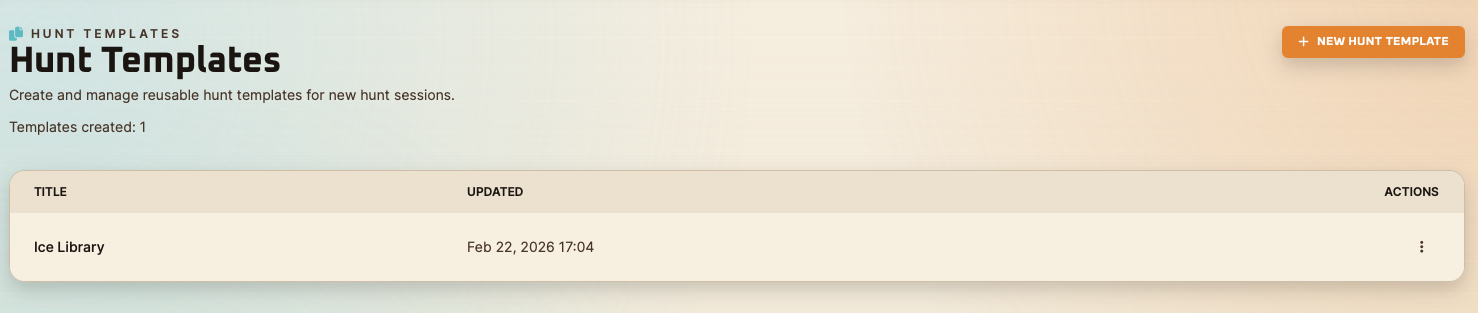
- Edit and manage your templates in one place
What Is Included in a Hunt Template
- Hunt Name
- Hunt Description
- Public/Private
- Character
- Wheel of Destiny
- Character Items
- Friends to Share
- Extra Expenses
Metadata fields are intentionally excluded.
Why This Helps
- Faster Hunt Session creation
- More consistent setups across hunts
- Better workflow for players who repeat routes, teams, and gear combos
How It Works
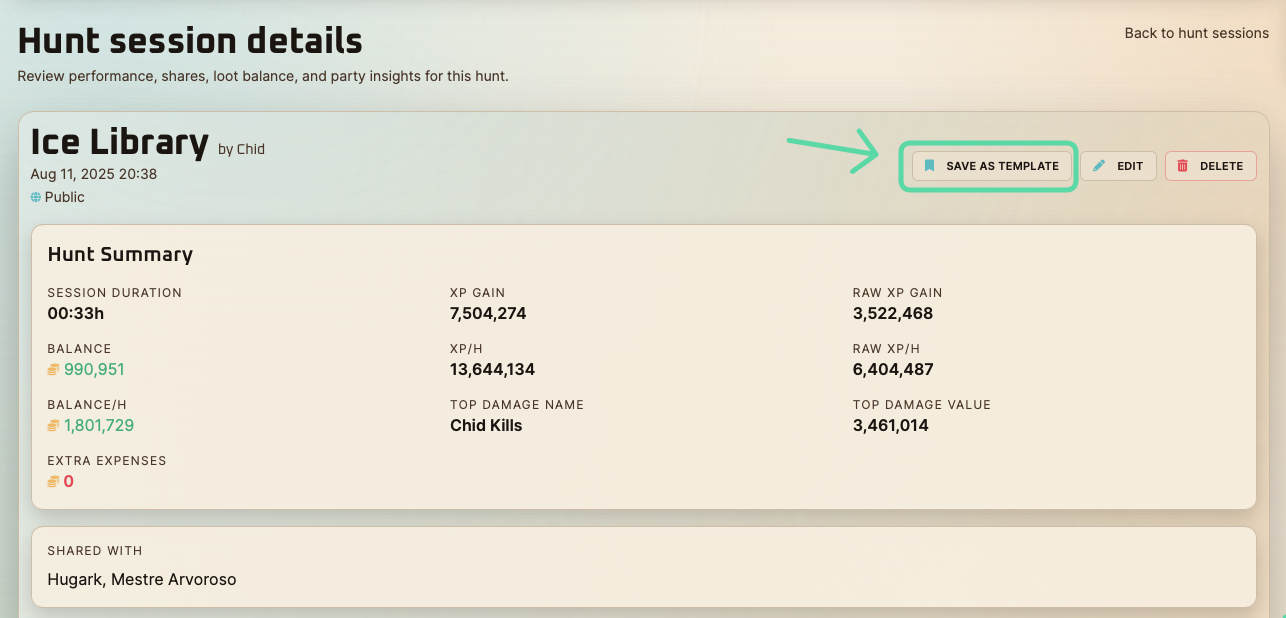
- Open a Hunt Session details page
- Click Save as Template
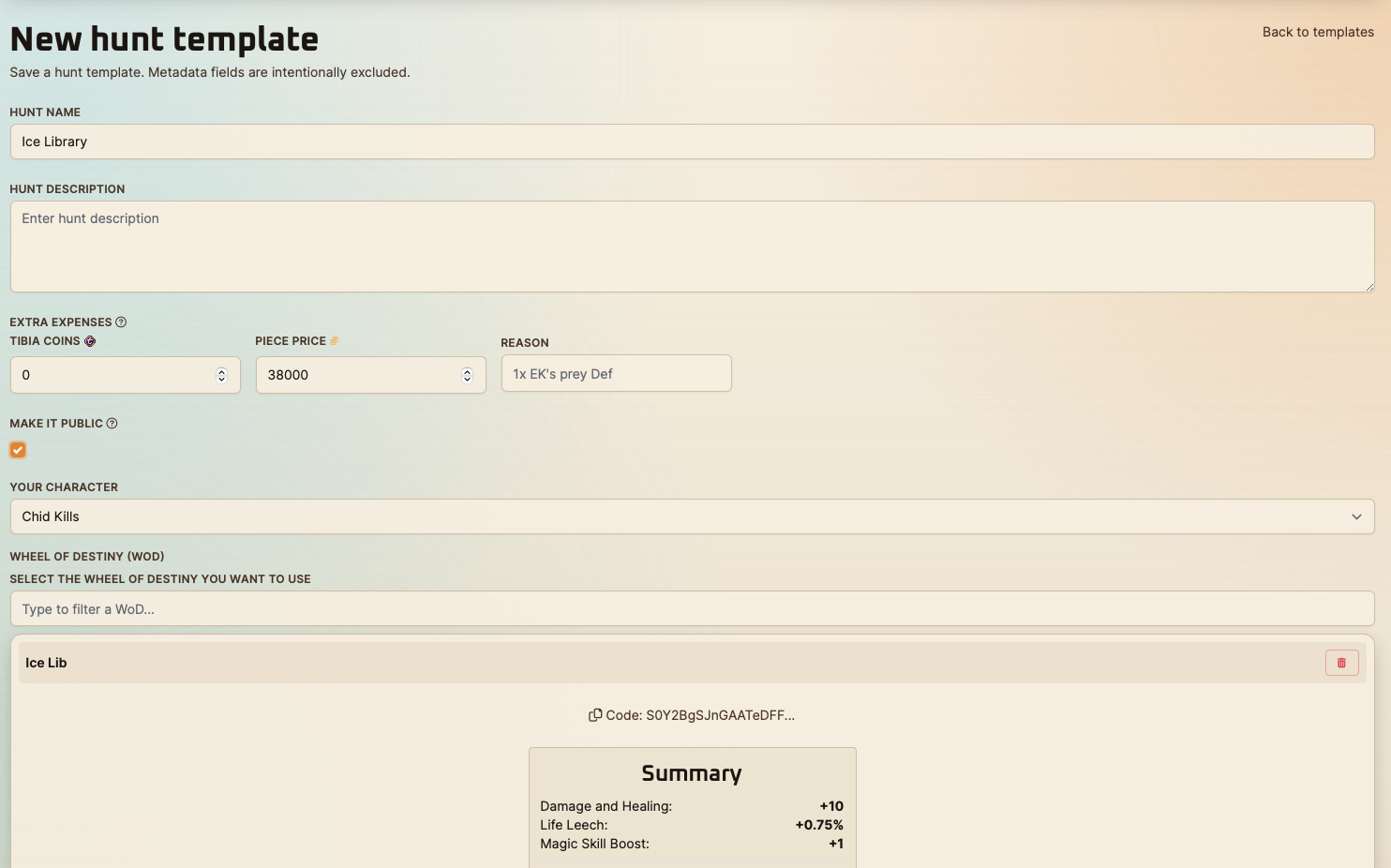
- Confirm or edit the template fields
- Save
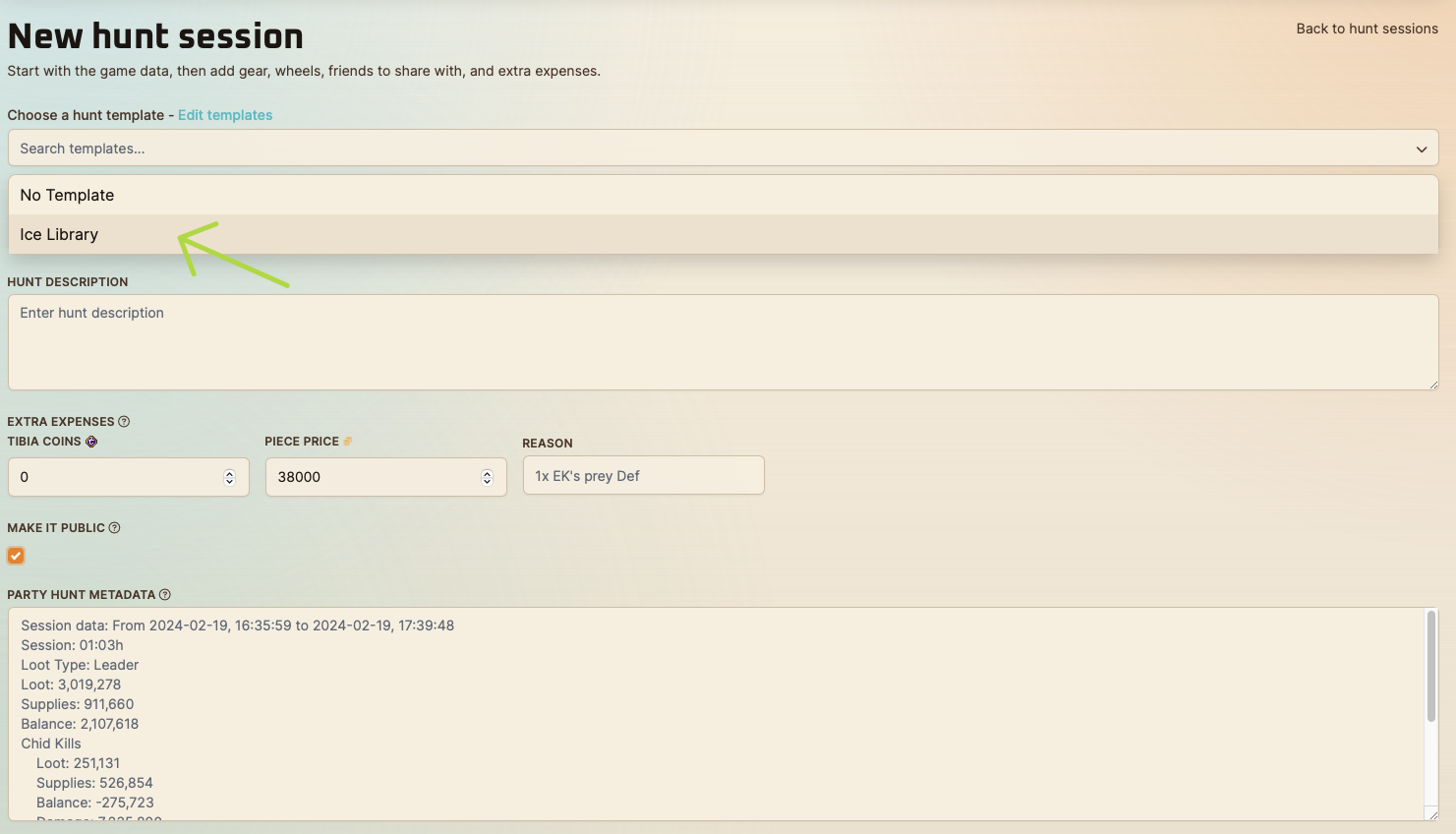
- On new Hunt Session, click Choose a hunt template and pick one
Hunt Session details page
New Hunt template page
Prefilled from Ice Library Hunt Session
Hunt templates page
New Hunt Session page
Selecting the new created "Ice Library" hunt template
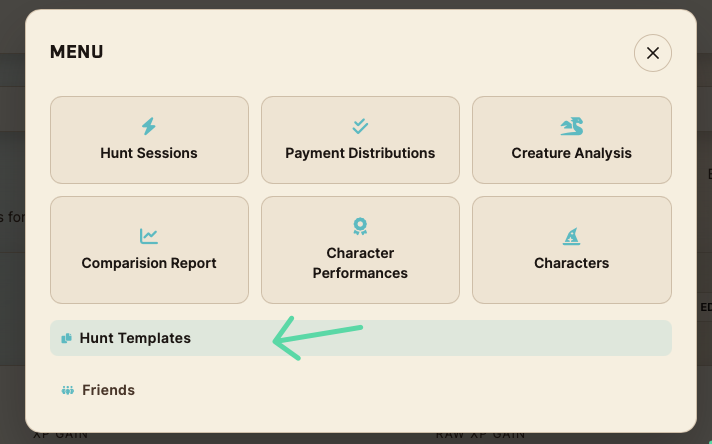
How to access the Hunt Templates page
- Open the Menu
- Click on Hunt Template