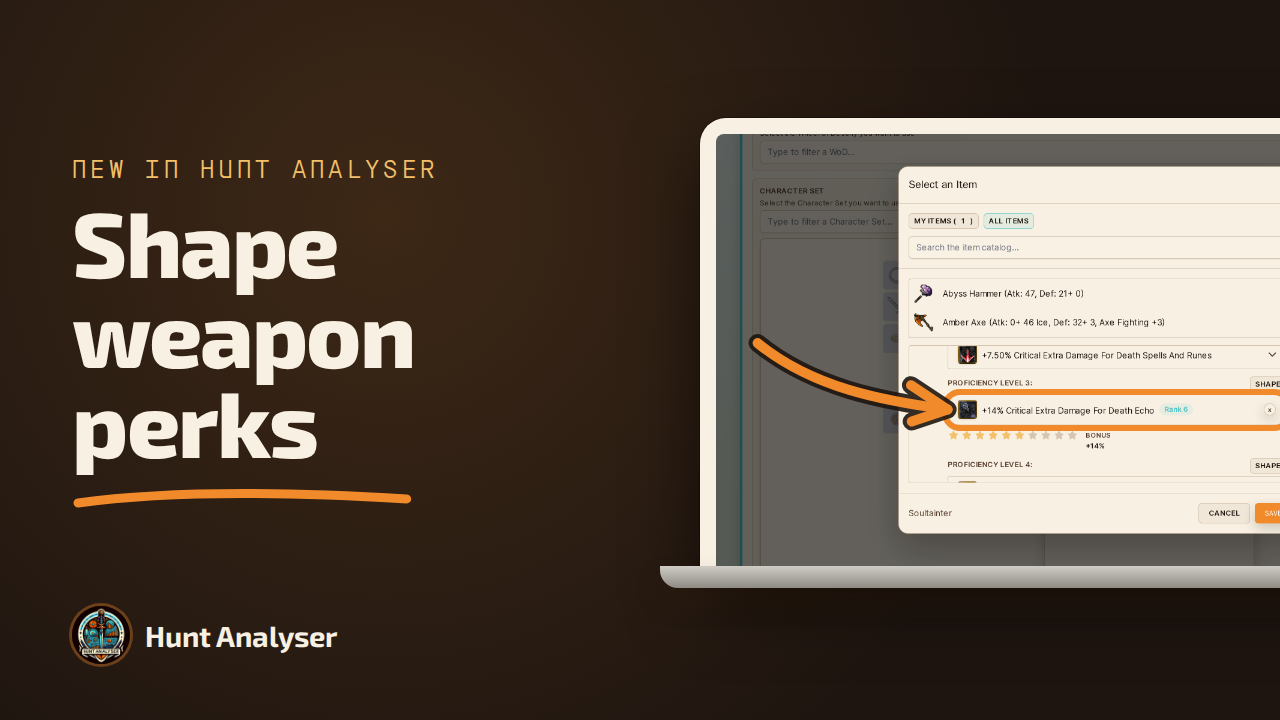
Oct 15, 2026 - Shape Your Weapon Perks, and See Them in Your Stats
Since the Summer Update you can swap up to two perks of a weapon's proficiency for effects from the Perk Shaping Options and rank them from 0 to 10. Hunt Analyser now records them, and your hunt Stats count them.
Since the Summer Update, a weapon's proficiency tree is no longer only the options each level offers. With Perk Shaping you can replace up to two of its perks with effects from a much larger list, and refine each one from rank 0 to rank 10.
Hunt Analyser could not record that. An item could only hold the options its levels already list, so if you had shaped a perk, your build was one the app could not represent, and the Stats of every hunt you played with that weapon quietly left the shaped perk out.
Now it can. Every proficiency level has a Shape button, your Shaped perks keep their rank, and the Stats panel adds them like any other perk. It is on every plan, Free included.
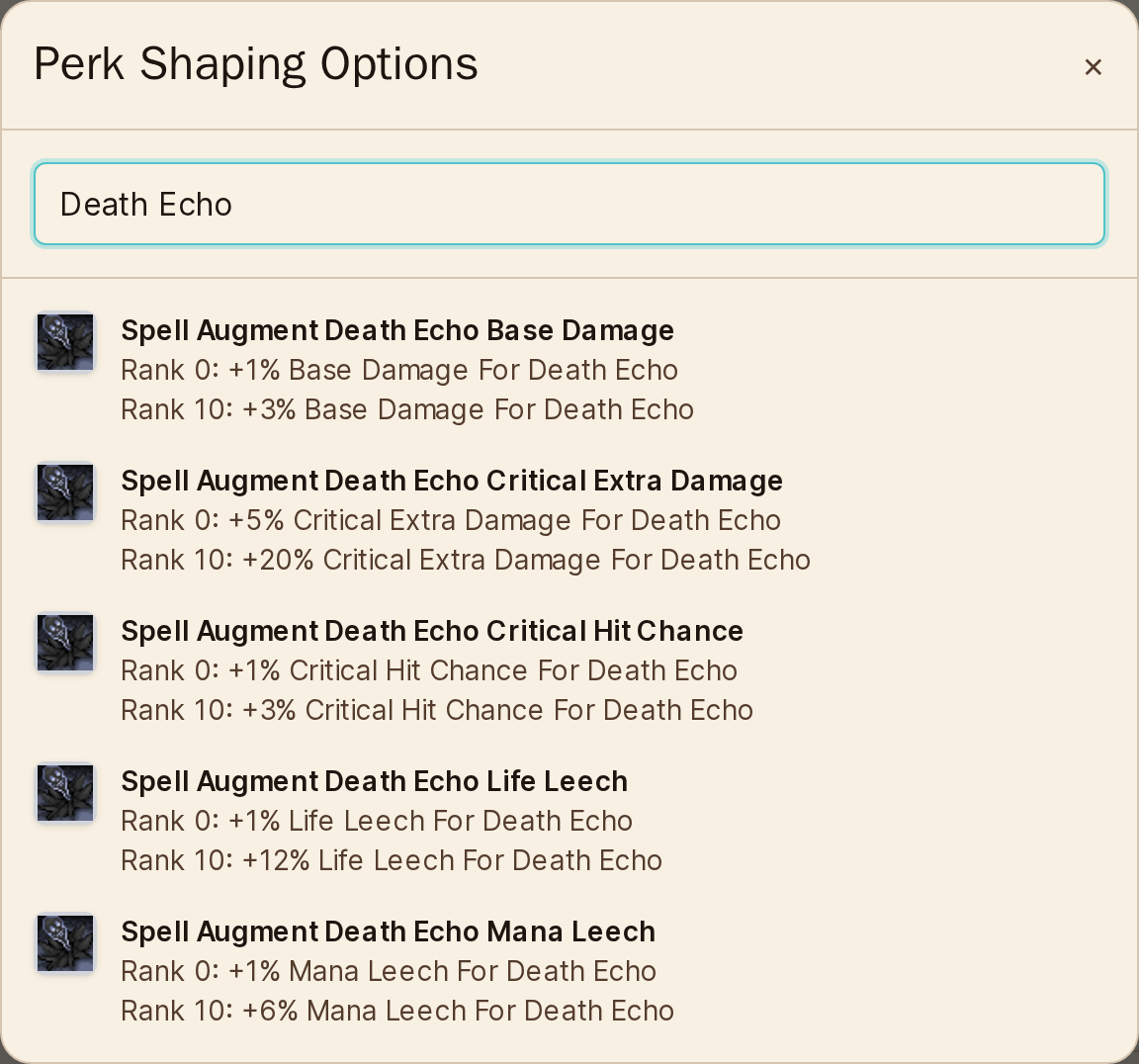
Shape sits beside the perk you would normally pick on every proficiency level, and opens Perk Shaping Options, the name the game gives that window.
Only what your vocation can roll. The list holds the options for every vocation plus your character's own, each with its icon and its value at rank 0 and at rank 10. Type part of a name to find the one you rolled.
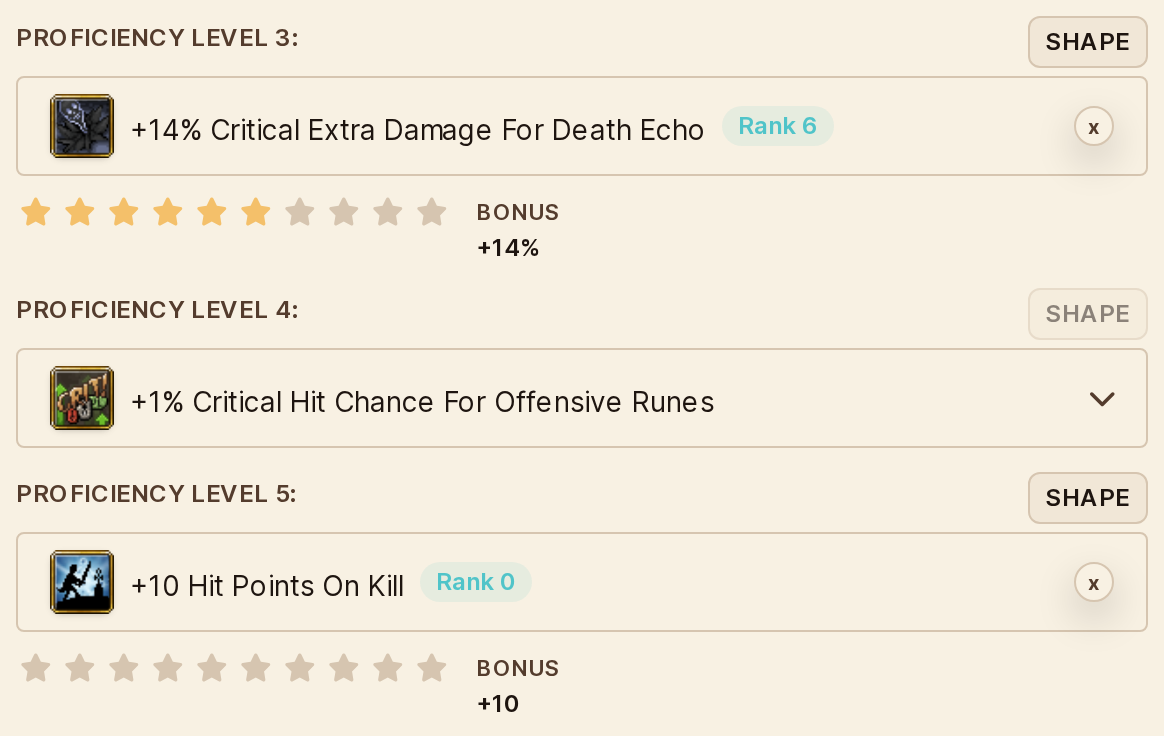
Pick it and it takes the level's place, starting at rank 0. Ten stars set its rank in one click, and the Bonus next to them shows the value you are recording.
Up to two per weapon, as in the game. Once a weapon holds two, the Shape button of every other level turns off. Remove one and the level's select comes back, empty: pick its perk again.
Everywhere your item shows
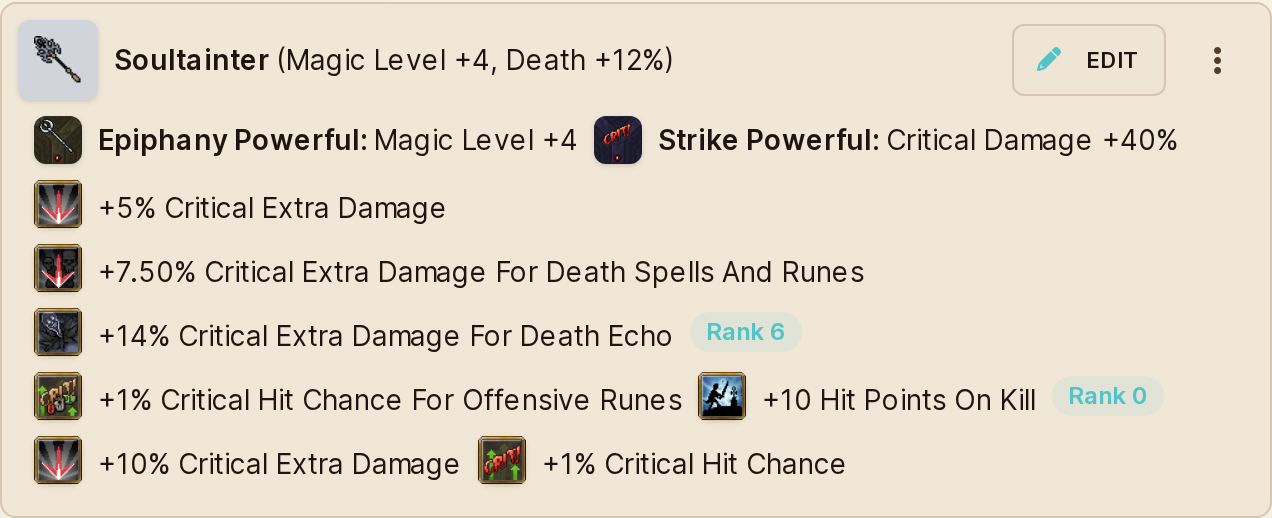
Your item list, your Character Set slots and your recorded hunts show a Shaped perk in its level, with its icon, its value and a small rank badge, so you can tell it from a normal perk at a glance.
Edit it right from a hunt. The slot picker on the hunt form opens the same item form, Shape button included, and the hunt you are logging uses what you save.
Counted in your Stats
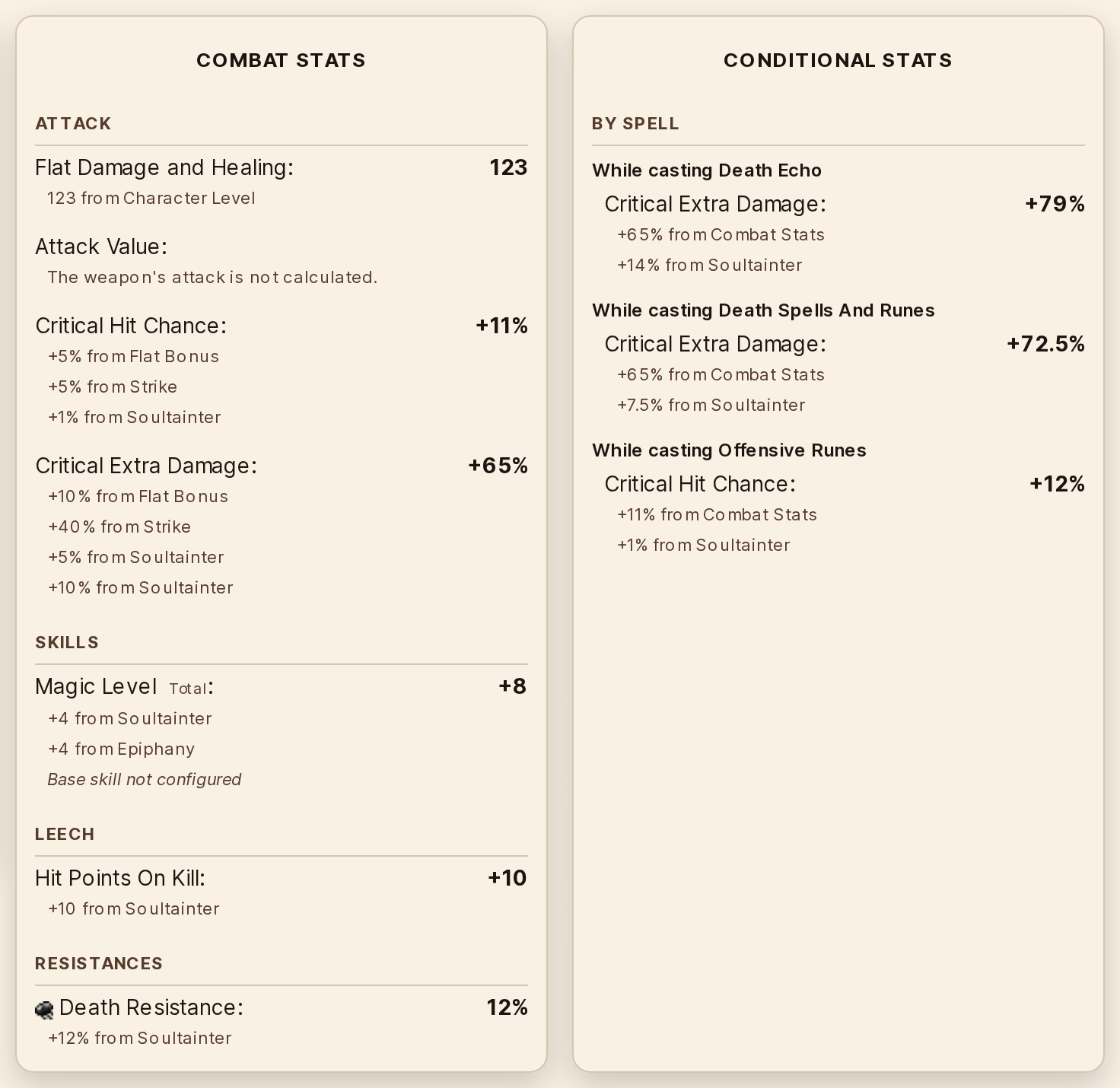
A Shaped perk adds to the Stats panel like any perk, grouped by its conditions. A spell option lands in Conditional Stats under that spell: here, while casting Death Echo, +14% Critical Extra Damage from the Soultainter at rank 6. Life Gain on Kill shows as Hit Points On Kill, under Leech in Combat Stats.
Highest Combat Skill options count too, in Conditional Stats under auto-attacks or your spells, shown as the percentage of your highest skill they grant.
Your hunt keeps the value it was played with. When the game changes an option, the hunts you already logged keep the value they were played with, and the item form marks the changed one. Click the star of your rank to bring it up to date; an option that is no longer offered asks you to remove it or pick another. The item saves once that is done.
And a fix you will feel in the same form
Every dropdown in the item form now opens above the modal, readable and never clipped by the form's scroll: perks, tiers and imbuements alike.
Where to Use It
Characters → your character → Items → Edit: the Shape button on each proficiency level.
Hunt Sessions → New or Edit → Your character → a weapon slot → Edit: the same form, from the hunt you are logging.
Characters → Sets: your Shaped perks in the set's slots.
Hunt Sessions → any hunt → Stats: Combat and Conditional Stats, with each Shaped perk's contribution.
Why This Matters
A weapon used to be its tier and its imbuements. Since the Summer Update it is also the two perks you rolled, rerolled and refined, the part of the build you spent your Dust and your patience on. Until today, it was the one part Hunt Analyser could not see.
That gap was bigger than it looks. Hunt Analyser exists to answer one question after every hunt: did this setup pay off? Two hunts with the same weapon could carry different Shaped perks and look identical here, and a comparison that cannot see the thing you changed cannot tell you whether the change was worth it.
Now it can. The perk you shaped sits in your build, follows the item into every hunt you log with it, and shows up in your Stats line by line, with its rank and where it came from. Shape it in the game, record it here, and let the numbers tell you whether it was worth it.
If a number here does not match your client, tell me which option and which rank. Those reports are worth more than they sound.
The #1 Tibia analyzer tool, created by Rachid Calazans, a Tibia player since 2006. Hunt Analyser helps you crush your hunts with powerful data insights. Track solo and team sessions, monitor loot and expenses, and optimize performance. Trusted by over 7,200 players.