Sep 18, 2026 - Big Update: The Wheel, Your Gear, and a New Character Page
Three big changes: the Wheel of Destiny is now drawn and built inside the app, your Character page has tabs and a search, and your gear is one click away from the slot you are filling.
Everything in this update points the same way: the work you used to do somewhere else now happens where you already are.
If you record hunts, you have hit this. You start a hunt session, and the set you wore is not in the app yet. Neither is the wheel. You press + New Set and, instead of a set, you get another browser tab listing every set you own, where you build one and then come back to find it in the dropdown by hand. For an item it was worse: from the slot you were trying to fill there was no route at all, so you abandoned the form, went to the character's page, added the item there, and started the hunt session over.
The Wheel of Destiny was the longest trip of all. Open tibia.com, build your wheel in the official planner, copy the code, come back here, paste it into a text field, save. And if you wanted to check what you had actually built, you read a list of perks, because there was no wheel to look at. Anywhere.
All of that is gone. The wheel is drawn and built inside the app, your Character page became four tabs with a search in each, and creating a set, a build or an item now happens over the form you were already filling in.
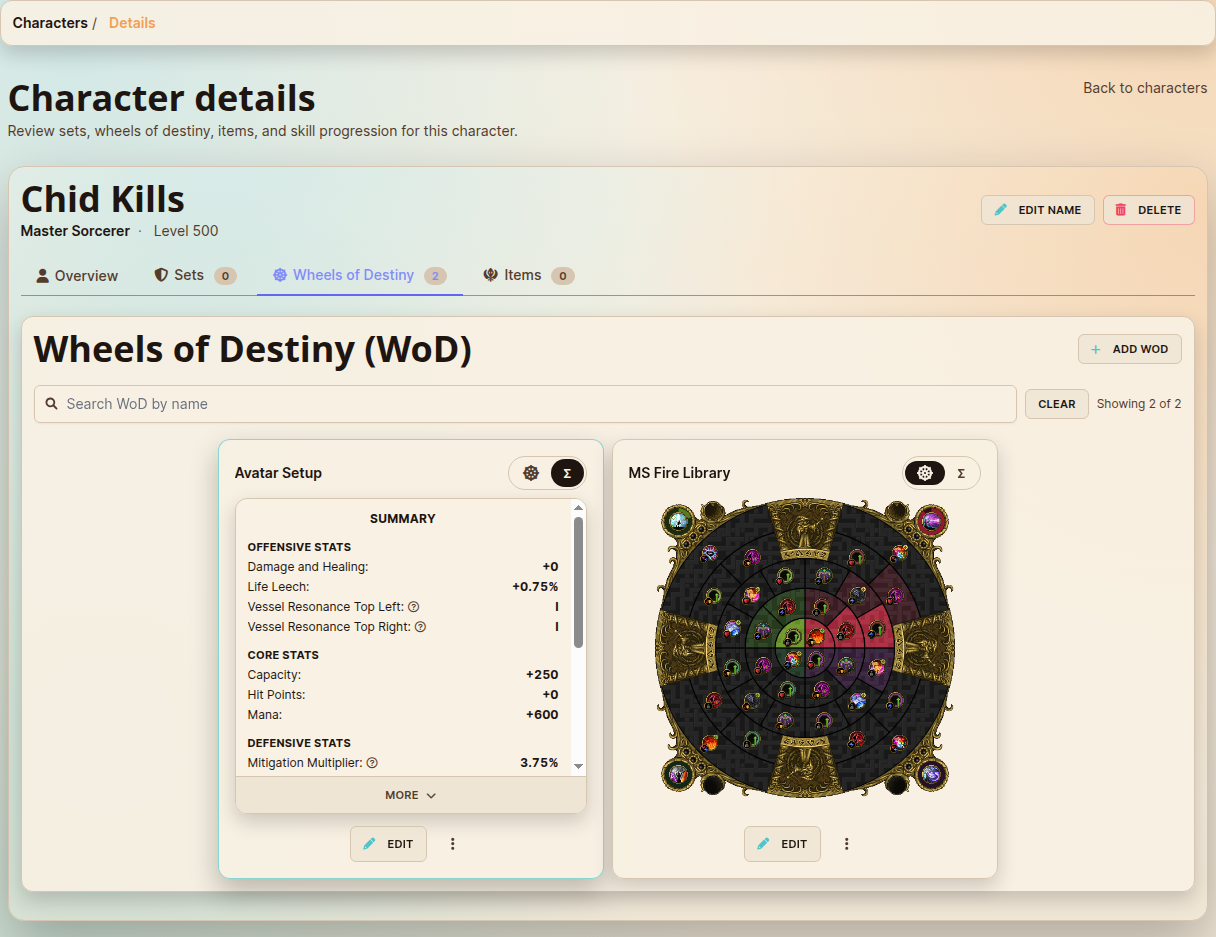
See your build, not a list of perks. Every place a Wheel of Destiny appears now draws the actual wheel: your Character page, the selection list and the selected build on a hunt session or template form, and the Hunt Session details page. The wheel is what you see first. A quick switch flips any card to the labelled Perk summary when you want the numbers, and it opens on the wheel again next time.
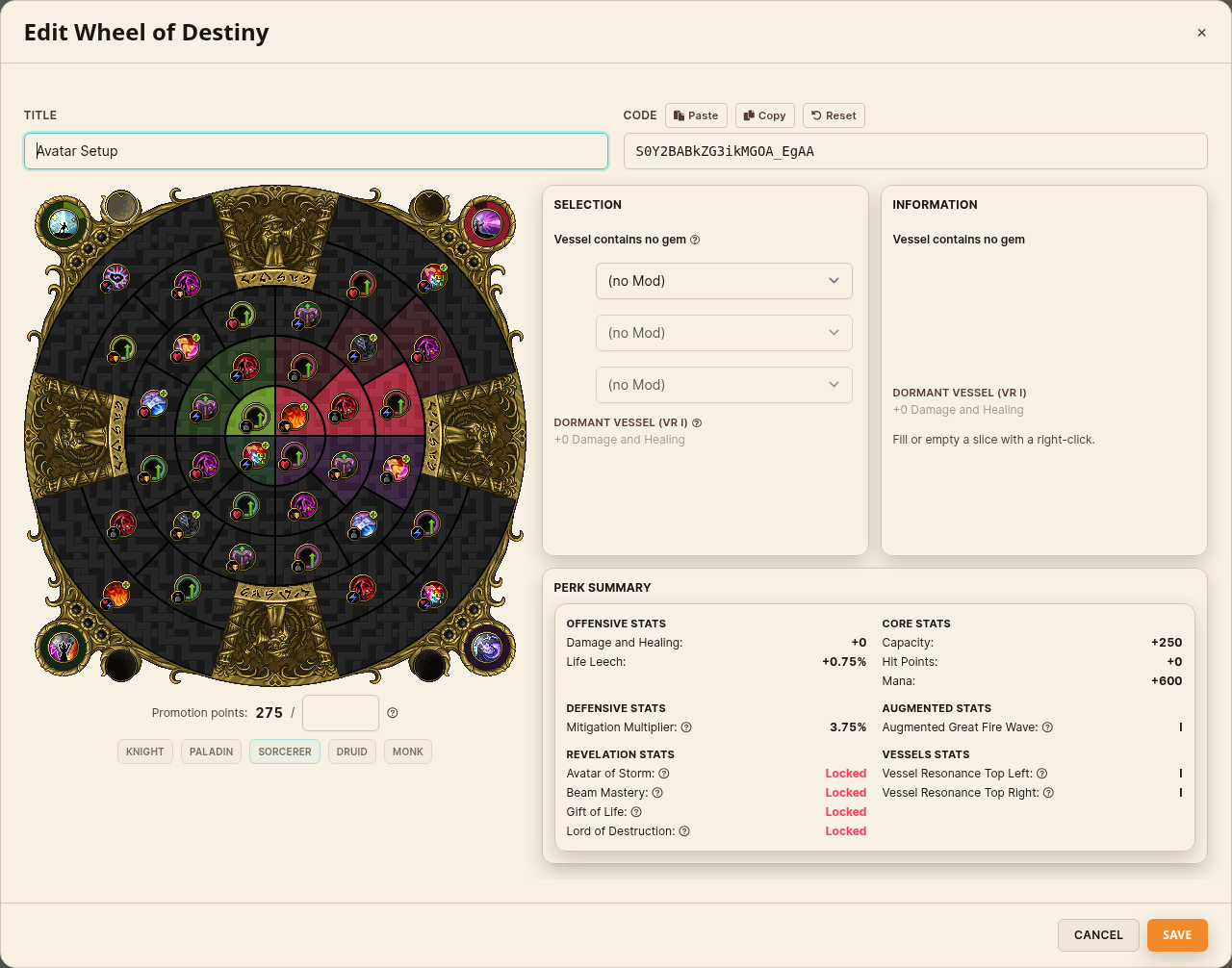
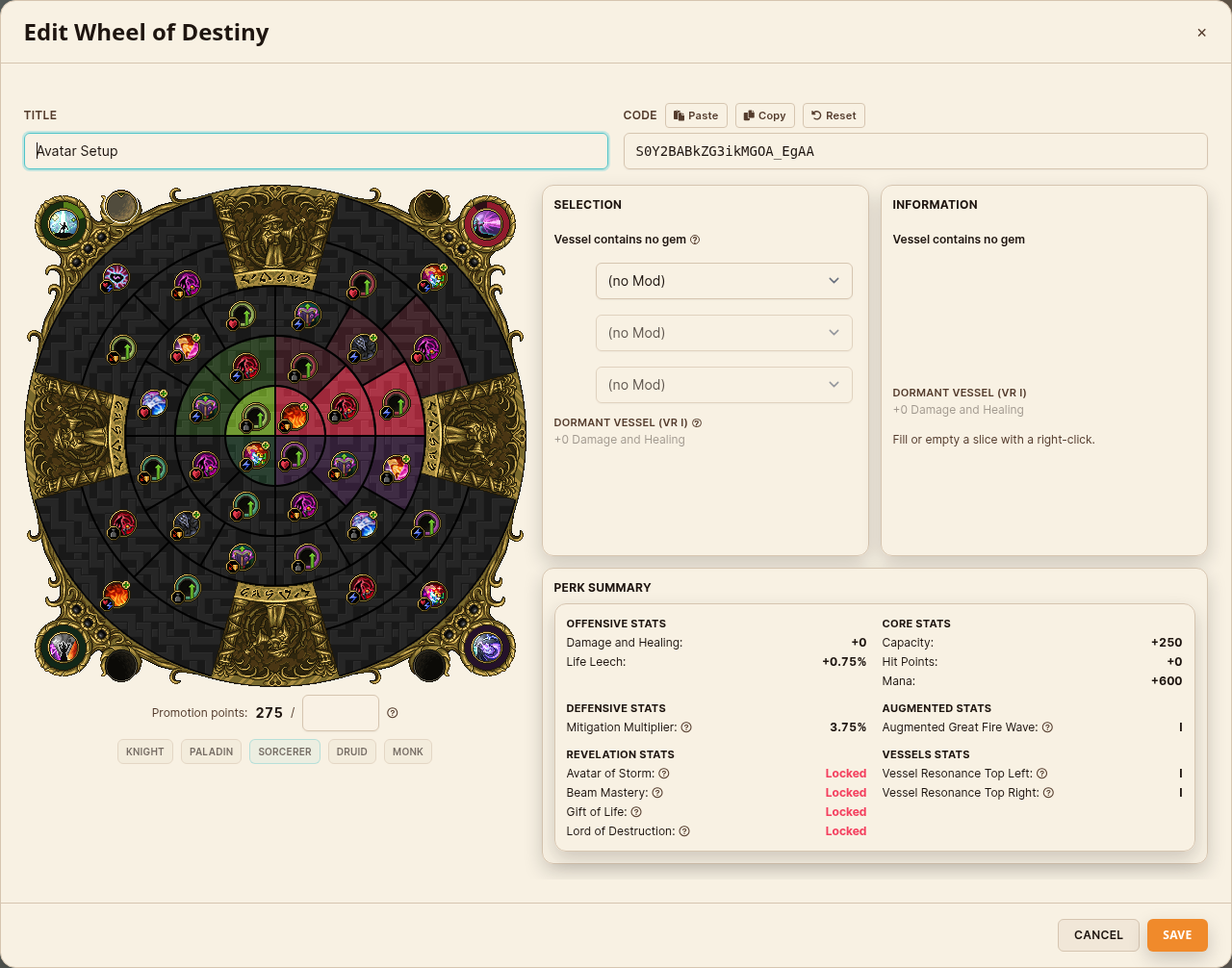
A full planner, in a modal. Hit Add WoD, or Edit on any build, and the planner opens over the page you were already on. Left-click a slice to select it. Right-click, or hold for two seconds on mobile, to fill or empty it. The -Max / -1 / +1 / +Max stepper sets points exactly, instead of clicking the same slice twenty times.
Two live panels while you work.Selection shows what the slice you are editing does: the progress bar, the Dedication value, the Conviction Augment I and II thresholds, your gem mods and the vessel line. Information previews whatever your cursor is over, so you can explore the wheel without committing to anything. Info icons carry the game's own description of every perk.
Gems and vessels on the same wheel. Click a corner socket, pick your gem mods, and the gem renders on the wheel and flows straight into the Vessels summary.
An optional points limit. Cap your planning to the points you actually have, or leave it empty and plan freely.
Your code still works both ways. This is the same code format the official planner uses. Paste one you built on tibia.com and the wheel draws it. Build one here and copy the code straight back out. Nothing locks you in: the app simply stopped being the slower half of the trip.
Locked to your character's vocation. The vocation row shows which one the build is on and stays fixed, so you never build a wheel that does not fit the character it belongs to.
Build it where you need it. On a hunt session or template form, New WoD opens the same planner in a modal instead of a new tab, and the build you save is already selected on the form when it closes. Edit, Duplicate, Copy to and Delete all work right there in the selection list.
And on your Character page, every build is a wheel you can recognise at a glance. The same card flips to the Perk summary whenever you want the numbers instead.
Your Character Page, Rebuilt
Four tabs instead of one long scroll. Overview, Sets, Wheels of Destiny and Items. The tab you are on lives in the URL, so a reload puts you back where you were and a link you share opens on the right section. With a dozen sets and several dozen items, the old page ran several screens tall with no index at all.
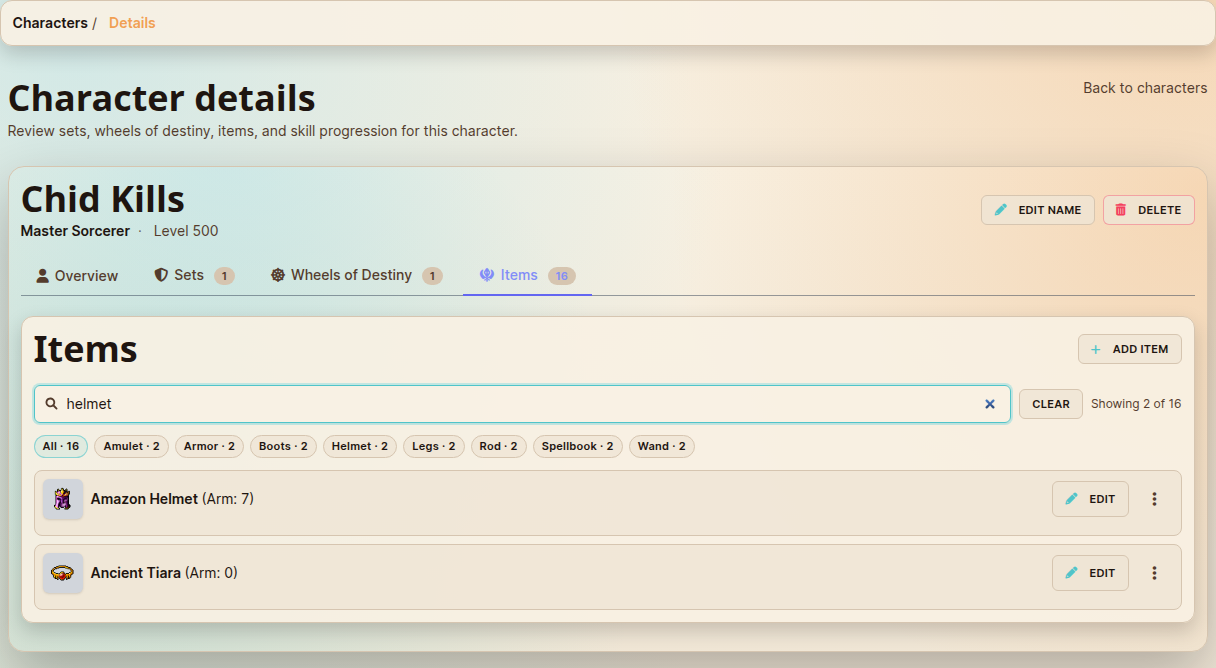
Search inside a section. Each tab gets a search box that narrows the cards as you type, a "Showing 2 of 16" count and a Clear. Items also get one chip per category you actually own, each with its own count, so your weapons or your amulets are one click away.
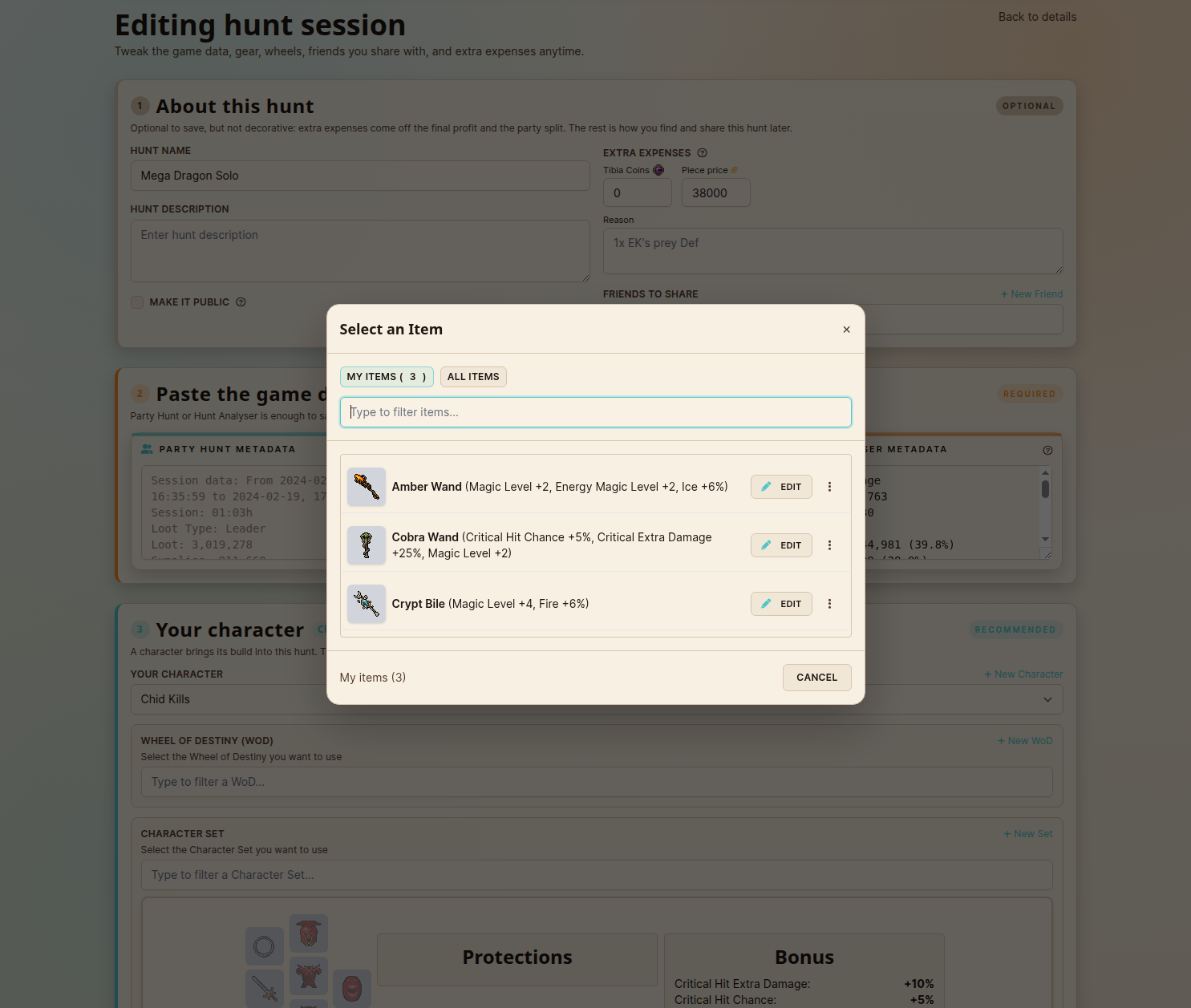
Add gear from the slot you are filling. Clicking an empty set slot used to be a dead end when you owned nothing for it. The picker now carries two pills: My items, and All items, the full catalog for that slot, searchable. Pick one, configure it, save, and it is created and dropped into the slot you clicked. It works the same wherever the slot grid appears, the hunt session form included, so you never have to abandon what you were doing to go and add an item.
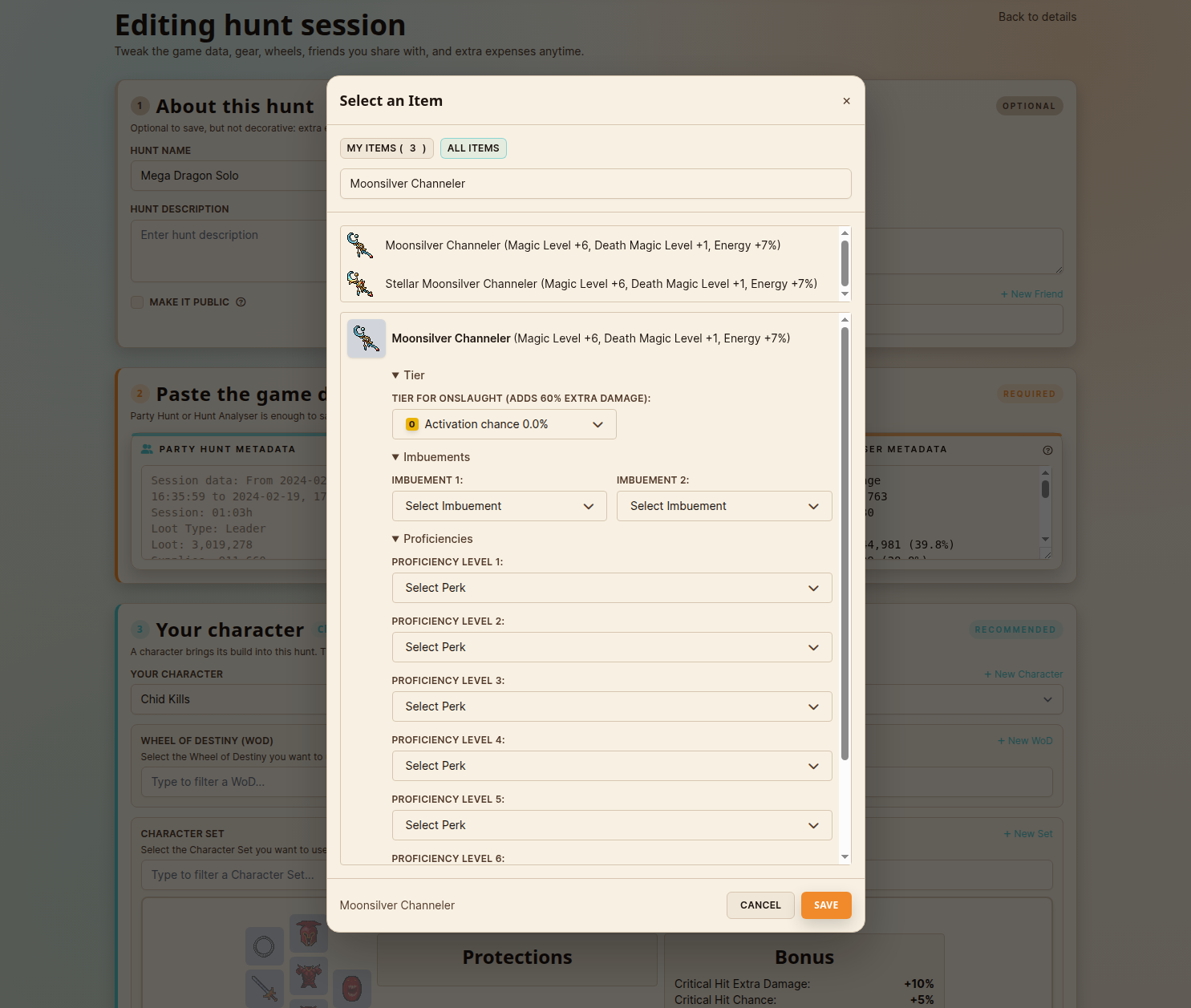
One form for the whole item. Tier, Imbuements and Proficiencies are all on screen at once, open by default, and saved in a single go. No separate management page, and no second trip to set the perks afterwards.
Manage items where you see them. Edit, duplicate, copy to another character or delete an item straight from the picker or its card. A filled slot gets a small control to clear itself. And deleting an item tells you how many sets use it before it goes.
Here is the picker on the hunt session form. Click a slot and it opens over the form you were filling in, with everything you already own for that slot under My items:
Switch to All items and the whole catalog for that slot is searchable. Pick anything and its full configuration opens right there, Tier, Imbuements and Proficiencies together, one Save away from being in the slot:
A Hunt Session Form That Says What It Needs
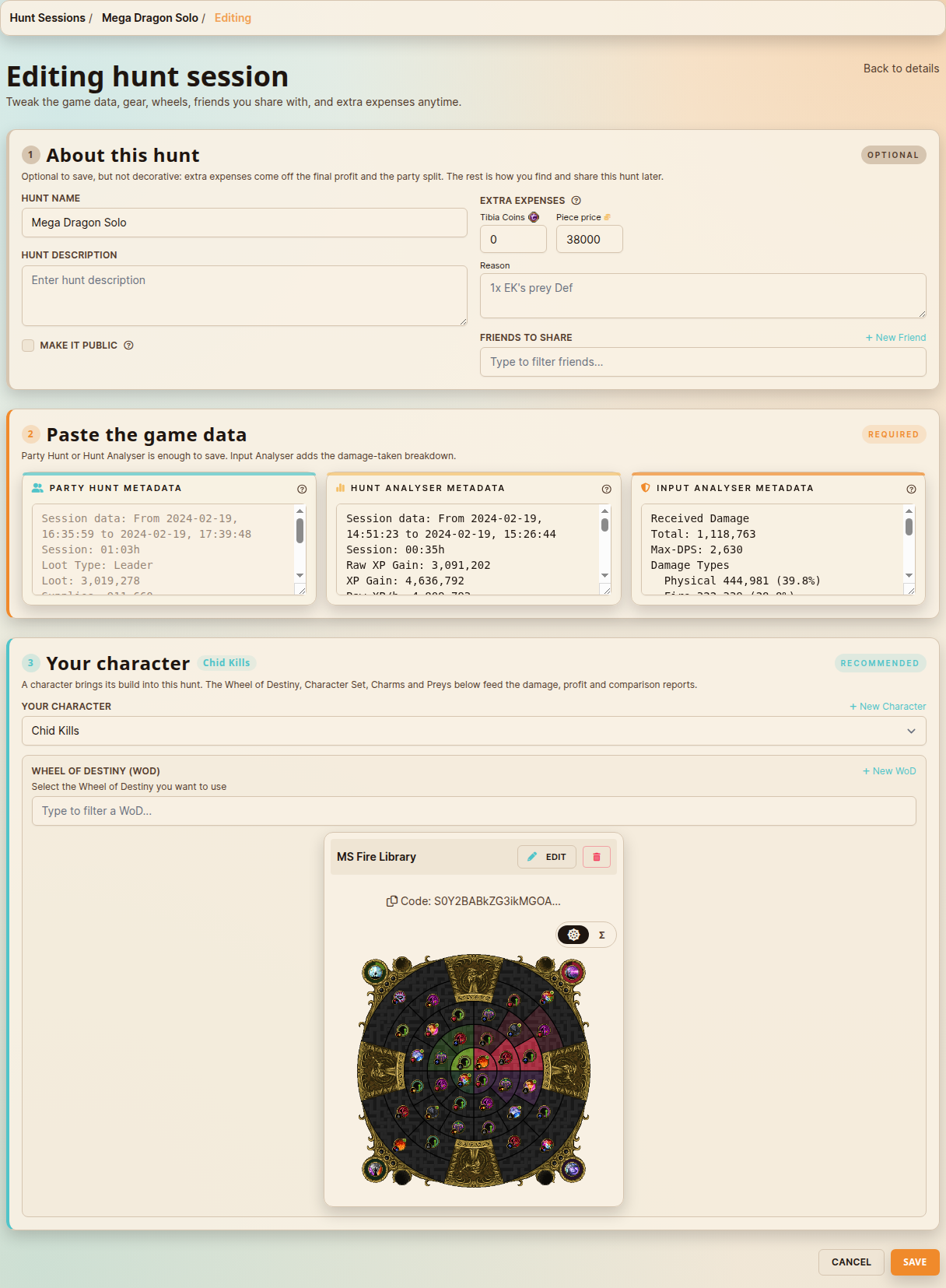
Framed sections instead of one wall of fields.Paste the game data is marked Required, and is genuinely all you need to save. About this hunt is Optional, and its subtitle refuses to round that up: extra expenses come off the final profit and the party split, and only the rest is labelling. Your character is Recommended.
Your character and its build, together. Pick a character and the Wheel of Destiny, Character Set, Charms and Preys all sit in one section beneath it, each with its own create action on its label row. The character's name shows beside the section title, so you can see the build is attributed to the one you meant.
Friends to share became a filter. Instead of a checkbox column that grows with your friends list, type to narrow by nickname, and your picks sit above the input as removable tags. Create a friend without leaving the form and it is immediately filterable, checkable and taggable like any other.
Build the set from inside the form. Add a Character Set or an item from a modal, configured and saved in one go, whether you are on the form, your Character page or the characters list. No trip to a separate management page and back.
The template form got the same treatment, so recording a hunt and saving a template behave identically.
Where to Use It
Characters → your character → Wheels of Destiny: every build drawn as a wheel. Add WoD opens the planner, Edit on any card reopens it.
Characters → your character → Sets and Items: search within the section, category chips on Items, and the My items / All items picker when you fill a set slot.
Hunt Sessions → New or Edit: the framed form, with New WoD and New Set opening the planner and the set modal in place. The selected build shows its wheel.
Hunt Session details: the build you played that hunt on, drawn.
Templates: the same form, the same modals.
Why This Matters
A wheel is a picture. It has always been a picture: that is how you read it in the game, and that is how you remember which build is which. Hunt Analyser was storing it as a string, which meant every question you had about your own build, is this the one with Avatar or the one I made for the library, needed a trip somewhere else to answer.
Now the answer is on the page. And something else closed with it: the loop between changing a build and recording a hunt on it. You can open a hunt session form, build the wheel you are about to test, save it, and record the hunt on it, without ever leaving the form.
The rest of this release follows the same rule. The slot picker creates the item you were looking for instead of telling you it does not exist. The form says out loud which parts the analysis needs and which parts are labelling. Fewer trips elsewhere, more of the work happening where you started it.
The #1 Tibia analyzer tool, created by Rachid Calazans, a Tibia player since 2006. Hunt Analyser helps you crush your hunts with powerful data insights. Track solo and team sessions, monitor loot and expenses, and optimize performance. Trusted by over 7,200 players.