The note you write on a hunt now follows it into every list and every chart where you compare hunts.
If you test a lot of wheel, perk or weapon variations, you know the problem: five hunts, same spot, same party, same name, and the only thing telling them apart is the description you wrote on each one. Until now that note stayed on the hunt's own page. Everywhere else you had to open the site twice, or write dates down on paper, just to find the run you meant.
This release puts your hunt description everywhere you pick or compare hunts, and makes the Comparison report's charts actually readable while it's at it.
What's New?
Your hunt description, on every selection screen
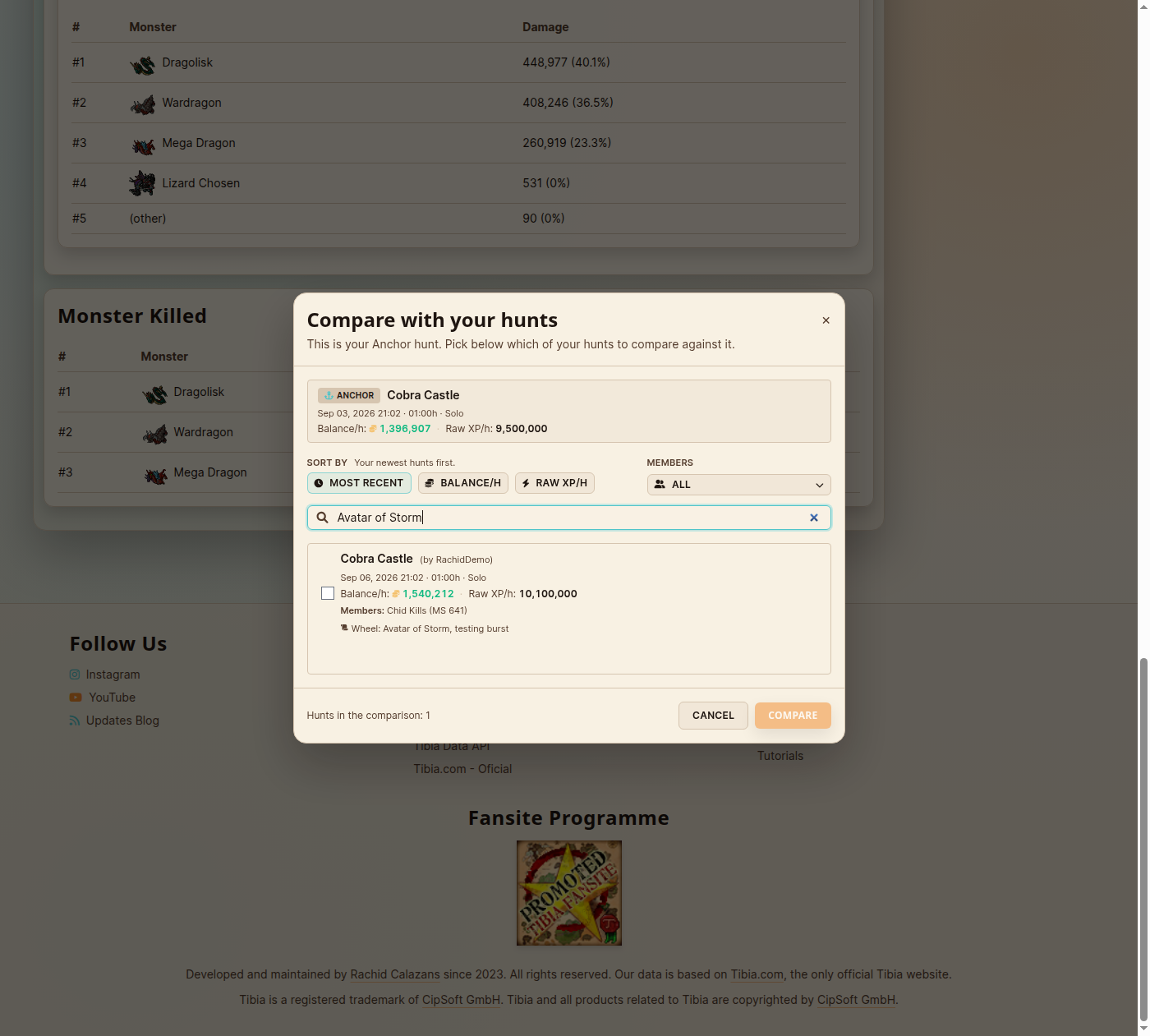
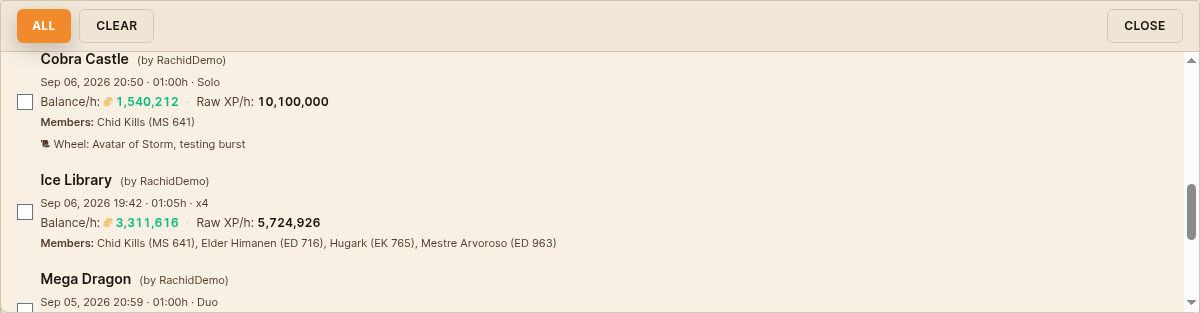
- Compare modal, Comparison report dropdown, selected-hunts list, and the grouped report's filter all show the hunt description now, right under the numbers, wherever it fits without breaking the row.
- Search matches it too. Type a word from your description and the hunt shows up, in the compare modal and in the report's picker alike, not just by hunt name anymore.
Comparison charts you can actually read
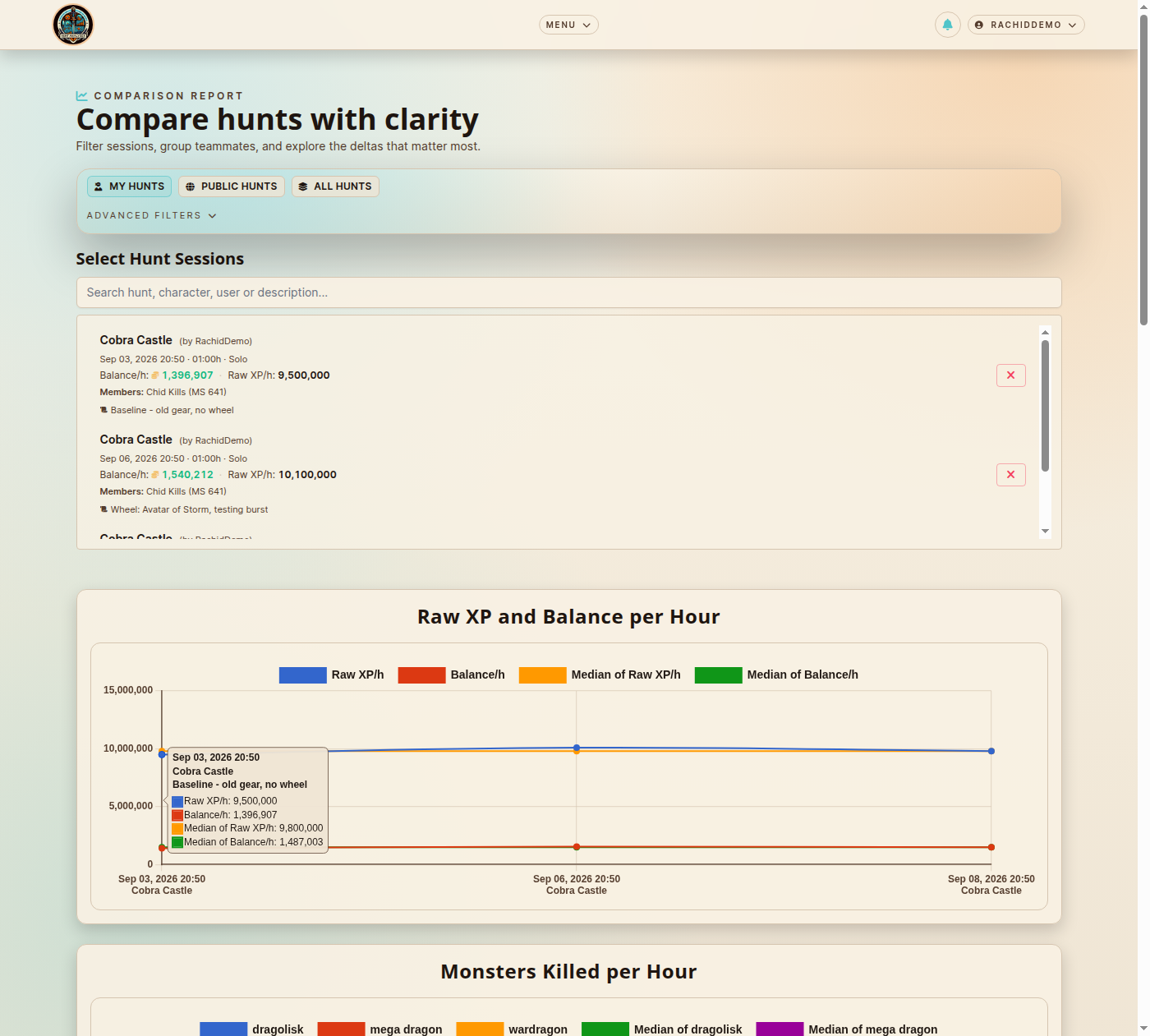
- Two-line axis labels. Each chart point used to squeeze the date and the hunt name into one string that clipped mid-word. Now it's two short lines: date on top, hunt name underneath.
- Hover shows the full picture. Point at any bar or line and the tooltip shows the date, the hunt name, and your description, so you know exactly which run you're looking at without scrolling back up to the picker.
- No more missing points. Two hunts sharing the same date and name used to silently overwrite each other on the chart. Every hunt you select now gets its own point.
Where to Use It
- Hunt Sessions → Compare: the compare modal's candidate list shows and searches the description.
- Comparison Report: the hunt picker dropdown, the selected-hunts list, and the grouped report's per-group filter all show the description; the picker's search matches it too.
- Comparison Report → Separated charts: two-line axis labels and a tooltip with the full context on hover.
Why This Matters
This one came straight from hunter Zowana, who wrote in to say she was testing a batch of wheel, perk and weapon variations and had no way to tell her hunts apart while picking them for a comparison report, short of opening the site twice or noting dates down by hand. She even sketched what she had in mind. Thank you, Zowana, for the sharp suggestion.
That's exactly what shipped: the description she already writes on every hunt now shows up wherever she picks hunts to compare, searches alongside it, and the charts she builds from them finally say which run is which.
If you've ever squinted at a chart trying to remember which point was the new weapon and which was the baseline, this is for you.
This isn't the first feature that started as a hunter's message, and it won't be the last. Thank you to everyone who keeps writing in with ideas, sketches and bug reports: quite a few of them are already live in the app today, and this is just the latest.
Happy hunting!
— Rachid Calazans
Proud creator of Hunt Analyser
— Rachid Calazans
Proud creator of Hunt Analyser