May 24, 2021
I’m pretty sure this is what I’ve been looking for to keep up with things going on in the Twitterverse and other news, while not falling into the endless scrolling. I guess this “information diet” (that’s what they call it, right?) is just what I needed!
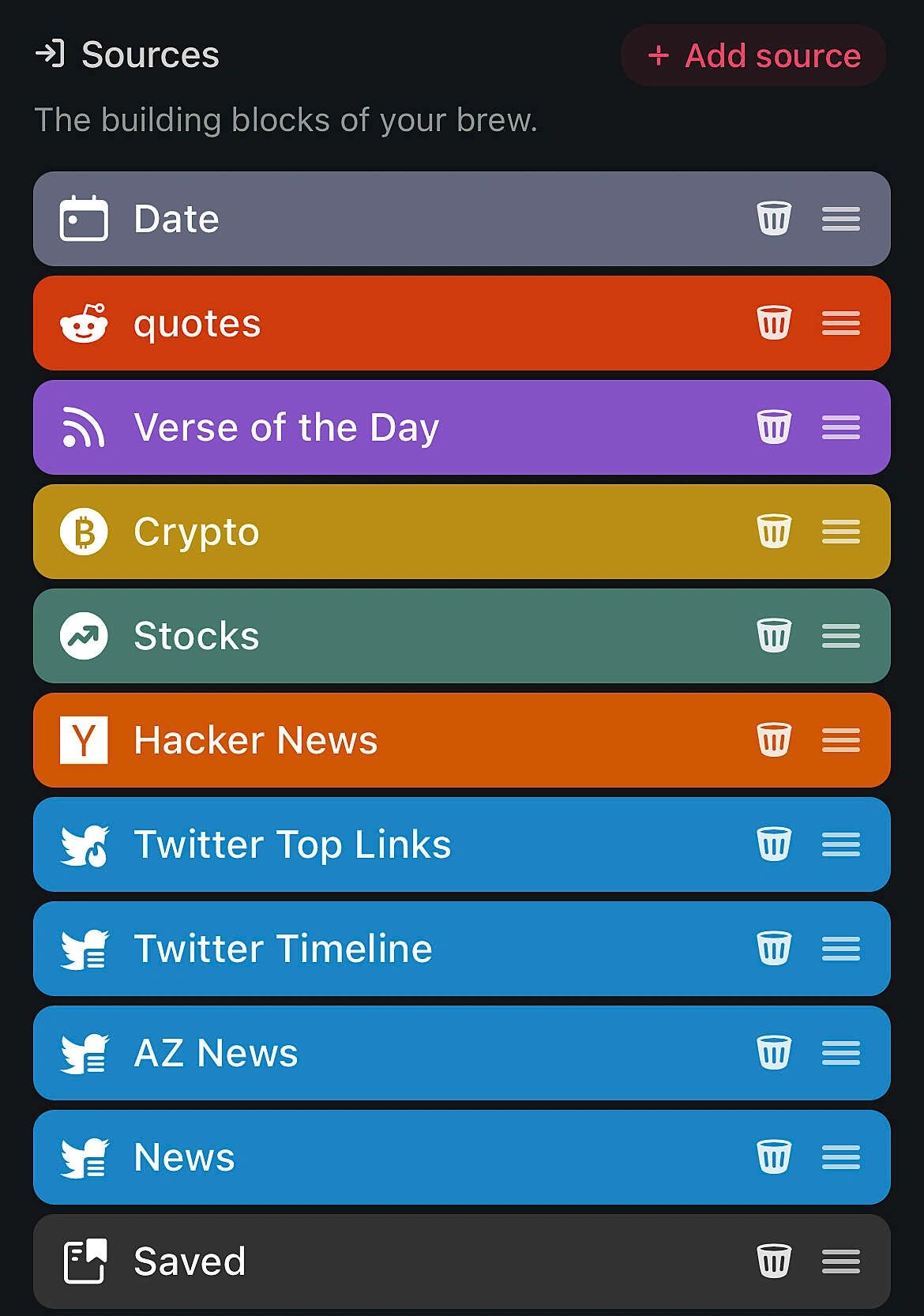
I created a few “brews”, so far. One that comes every morning with some general news and updates I’m interested in. It also includes a few things from Twitter, so I can see some highlights I’ll probably be interested in… and here’s one of the best parts — I don’t have to scroll through Twitter for an hour to see this stuff (and the thousands of other posts I’ll inevitably skim over). Then, I also include a “Saved” section, which has the latest webpages or blog posts I’ve saved for later reading. Here’s what the high-level source list looks like at the moment.
I have another brew for some “evening reading”, which at the moment has another Twitter list (that’s not included in the morning brew). It also has the saved-for-later reading — hopefully to remind me to actually read some of the things on the list! 😬
This morning I created a 3rd brew. This last one (for now) has a handful of YouTube channels I’d like to see the latest videos they posted. Not that I'll actually watch all of them, but I can at least see what was posted.
All of this won’t keep me from opening Twitter or reading other news sources, but it should help reduce the amount of time I’m spending just scrolling through those time sucks.
You should check out Mailbrew. I’ve only been using it for a few days so far, but I already love it! By the way, if you use that link, I may get some kickback — it is a referral link. Either way, whether using my referral link or not, check out Mailbrew!
- Jason