Most web apps are basically CRUD. Create, read, update, delete. Usually displayed as data in tables.
We've all seen them a thousand times. White backgrounds, grid lines, the same layout since the dawn of web apps. Tables work, sure. But they make your UI feel basic. Simple. Boring.
Here's the thing: I've been looking for ways to give tables a twist. Something that makes them less of a chore to look at and more of a pleasant experience.
I found inspiration in an unexpected place: Statamic's Control Panel.
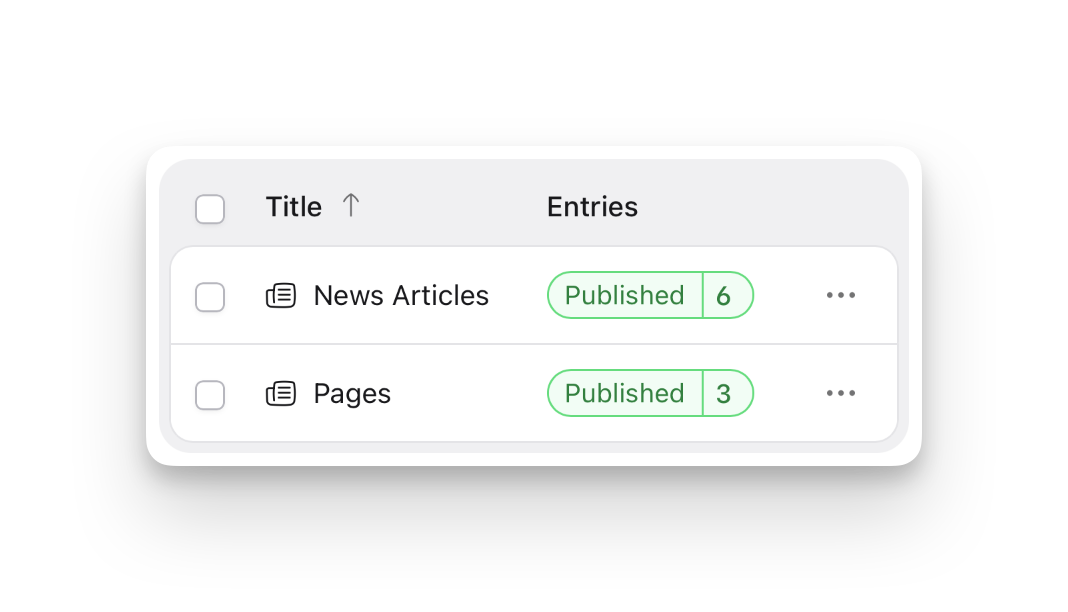
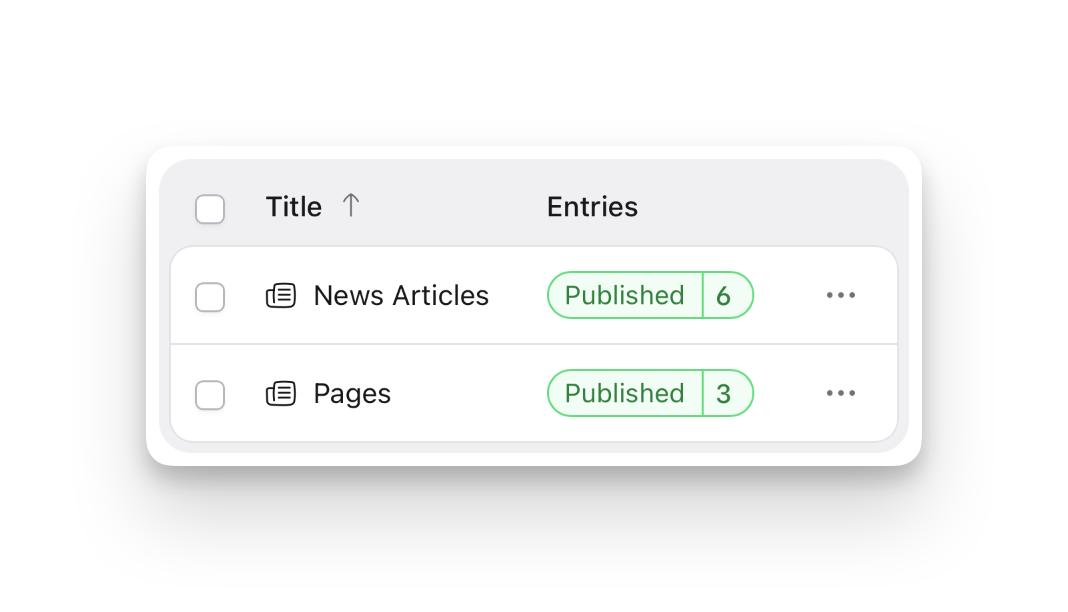
Their tables don't look like tables. They're cards with rounded corners, soft backgrounds, a friendly aesthetic that says "this data welcomes you" instead of "here's your spreadsheet."
So I tried to replicate it using Livewire Flux UI tables.
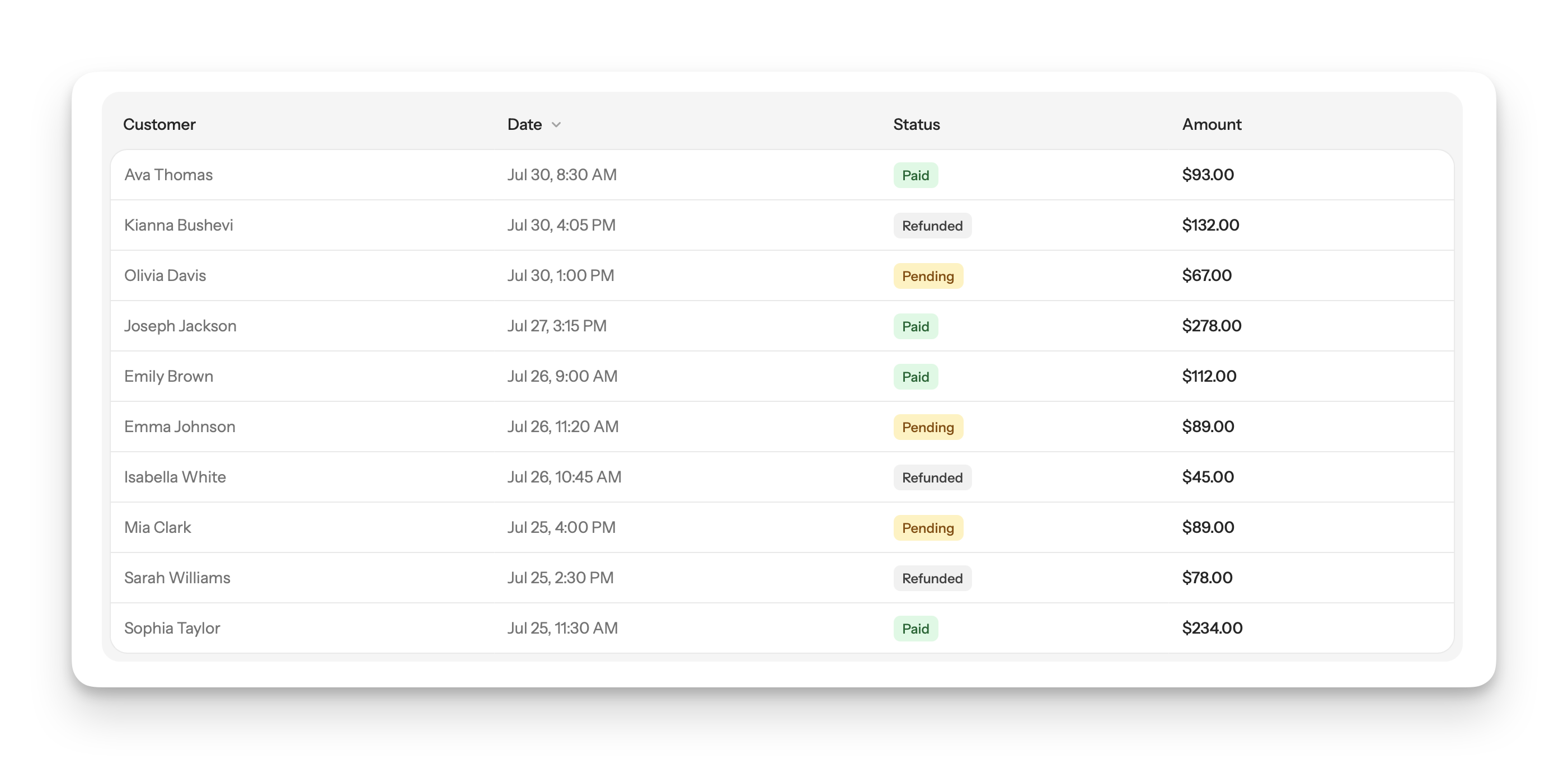
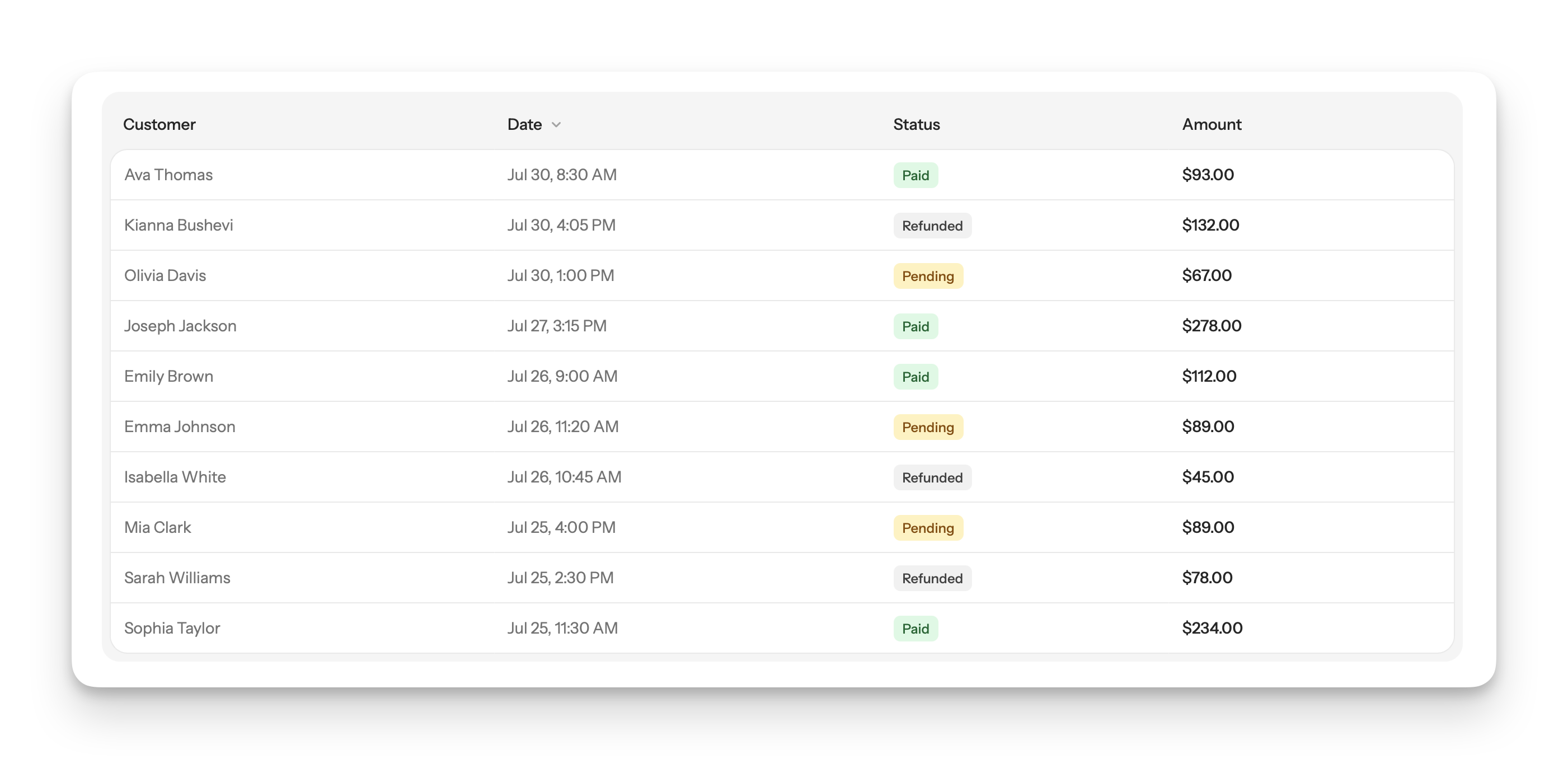
My first approach worked. I wrapped the table in a card container with a light gray background and rounded corners. Then I gave each cell a white background. I added borders to everything. I rounded the corners on the first row and last row.
But here's the problem: I was doing it with Blade conditionals.
It worked, but every new table meant repeating this conditional logic. It felt wrong. Naive, even.
Then I realized: CSS can handle this.
Specifically, Tailwind's `in-*` modifiers.
Instead of littering my markup with `@if` directives, I could use `in-[tr:first-child]:` to target the first row's cells. `in-[tr:last-child]:` for the last row.
All the styling lives in one place. My markup stays clean.
This was a reminder that sometimes the most elegant solution isn't more logic in your template, it's leaning on CSS selectors that have been there all along.
The result? Tables that feel like cards instead of spreadsheets. Friendly instead of institutional.
Next time you're staring at a boring table, try this approach. Use `in-*` modifiers to add visual polish without complicating your markup. Your future self will thank you when you don't have to maintain conditional logic across every table.
About Oliver Servín
Software dev. Maintaining a marketplace platform, looking for what's next. Trying to build something of my own. Nothing's landed yet but I'm still here. New posts at the Anti Writings site.