Here's a quick study of carousell's chat selection interaction.
I see that the current trend is that we would hide the checkbox for the row items until you hover your cursor over it.
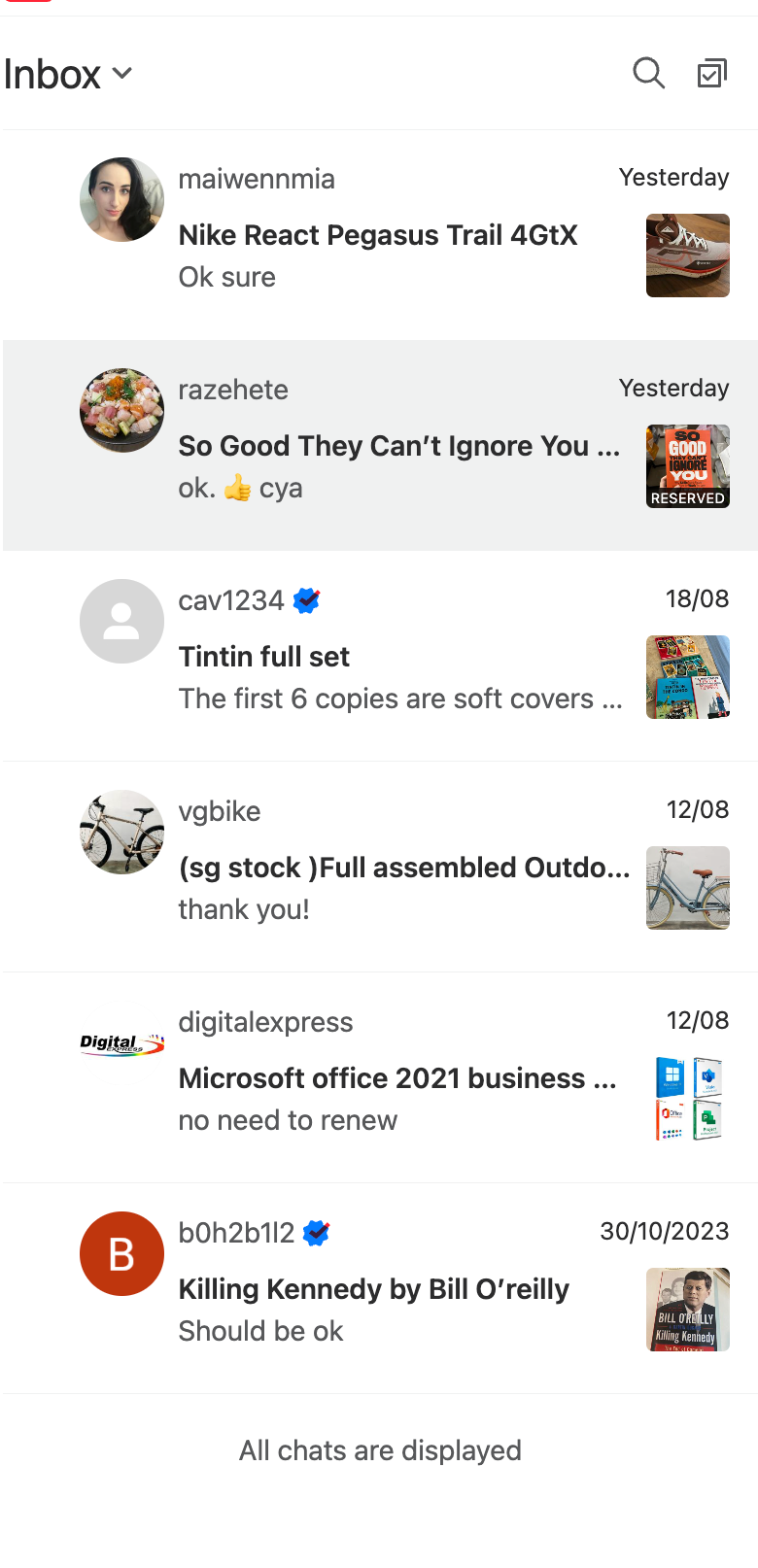
Below is Carousell's Inbox where the user chat with the seller. As you can see, there's a huge left padding on each row item by default.
How to select the row items to act upon them? Either by clicking on the selection icon on the right of the search icon, or by simply hovering on the checkbox icon that appears.
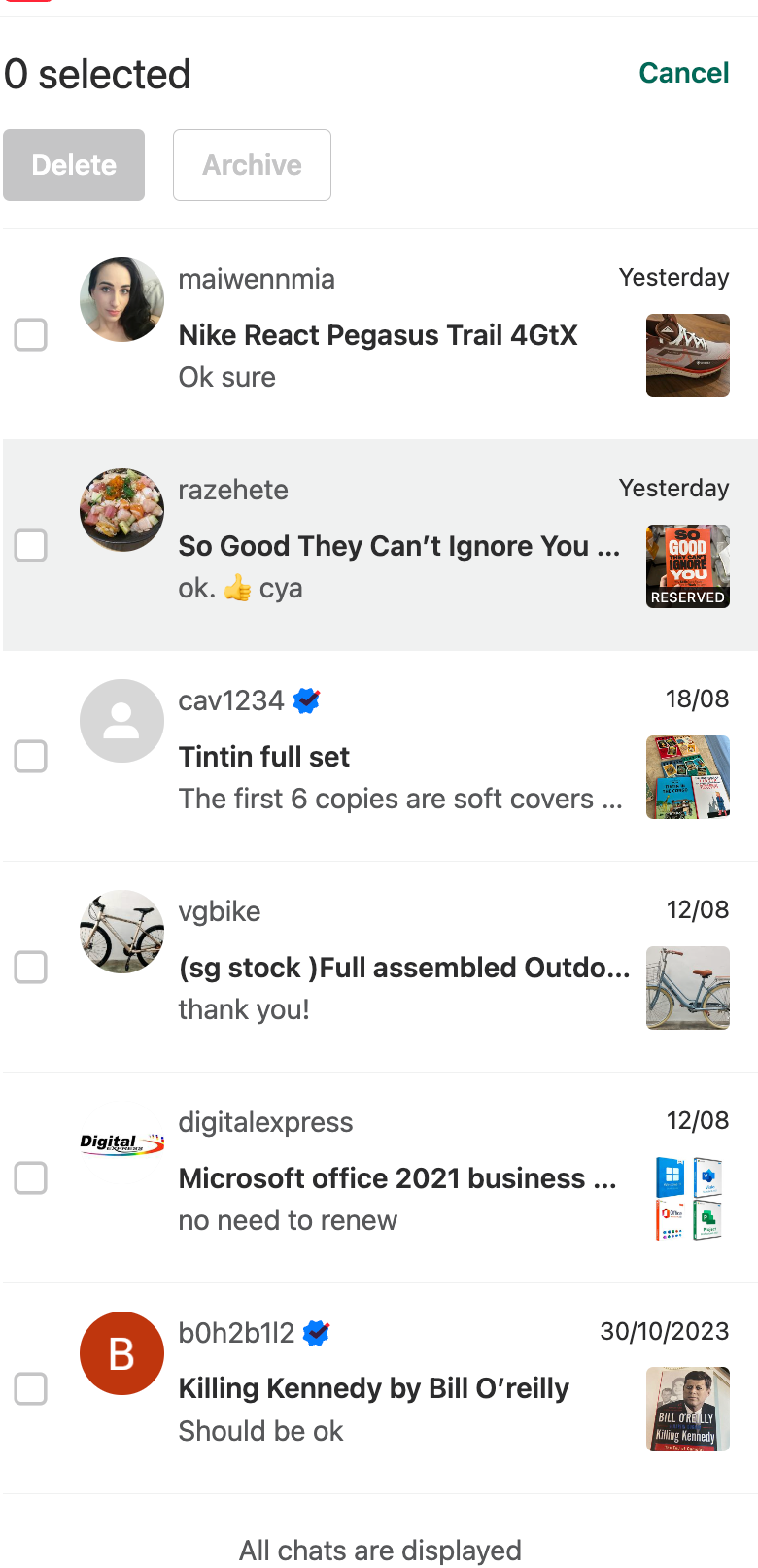
Here's how it looks like when I click on the Selection icon: the checkboxes appear, with some elements changes on the page. There's a counter of selected chats, and 2 disabled buttons since none has been selected yet.
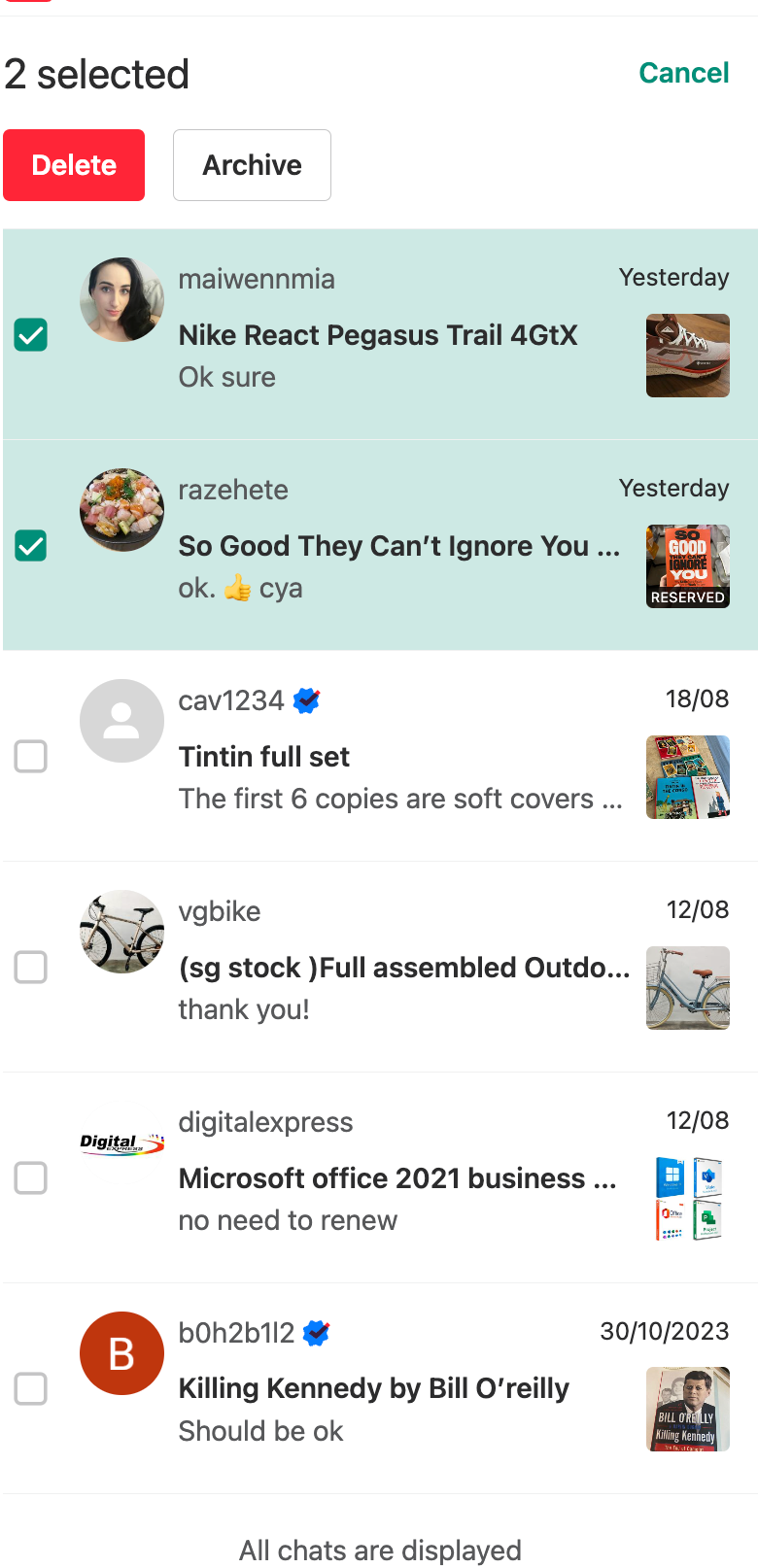
The buttons and counter update when I start selecting the chats:
#uxdesign #uidesign #uxuidesign #uxui #interactiondesign #uxuijournal #carousell #interaction
~ Sent with HEY ~